
User research
We conducted three rounds of interviews with more than fifty users to identify difficulties in sharing music projects across collaborators and software.
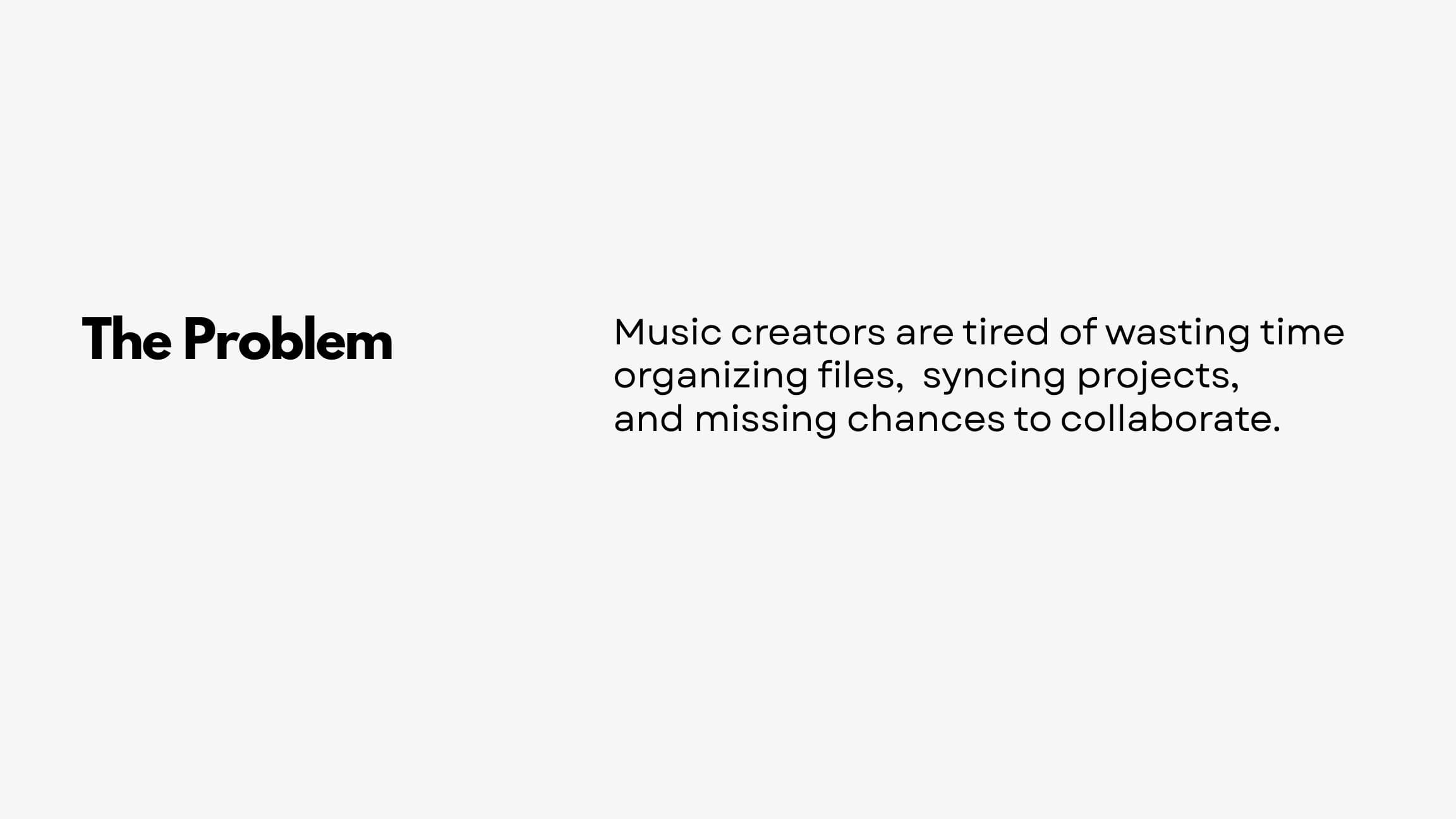
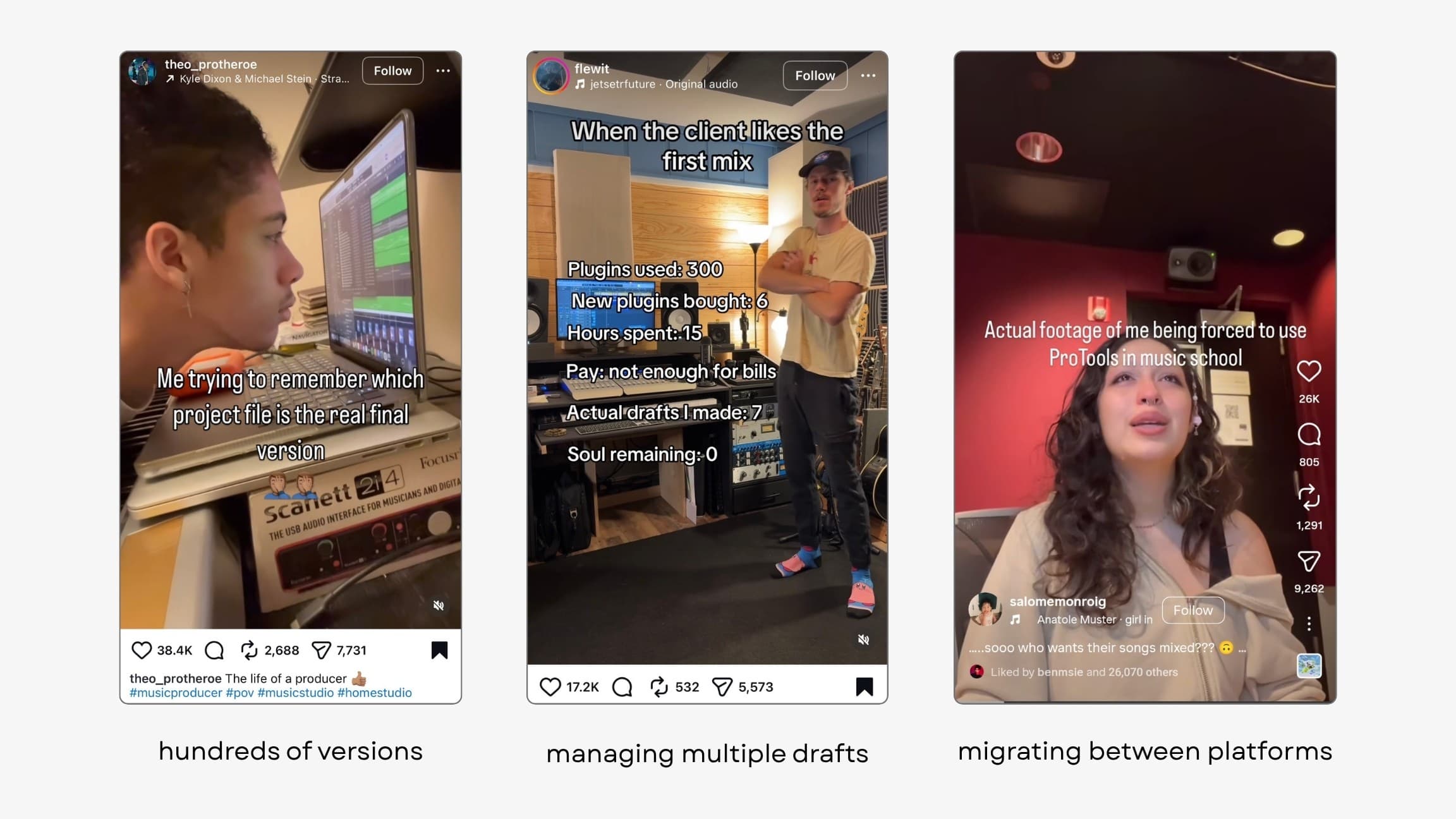
An audio export does not include the editable project structure. We organized that structure into tracks, clips, automation, global settings, and devices for the Editable music projectsA finished audio file contains the sound of a piece, but does not let a collaborator move its notes, change a track, or recover an earlier decision. An editable project keeps those parts separate. That distinction is why ColDAW brings the project structure into the workspace alongside the audio.Further readingLiloia & Dannenberg — Networked music performance, NIME 2025.
Project import prototype
I built a converter to read ALS filesAn ALS file is an Ableton Live project. Think of it as the editable arrangement—the tracks, clips, and settings behind a piece of music—rather than a finished recording. Reading it gave ColDAW a way to show that structure in the browser.Further readingAbleton: Live-specific file types from Ableton Live and make the project data available in the browser.
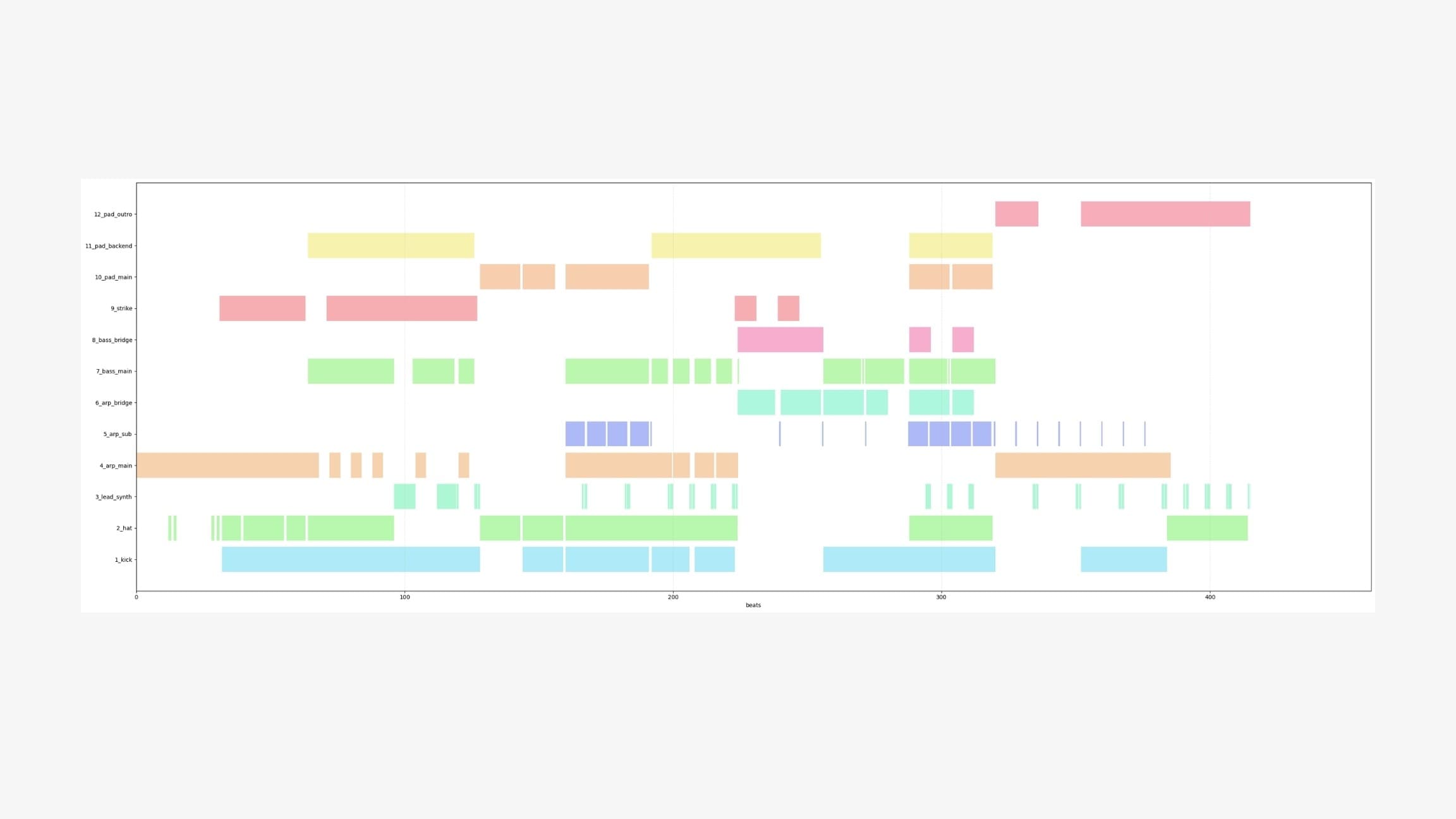
The converter extracts clip positions, track assignments, and audio-file references. This established which project details the interface could display.
I first visualized the track arrangement in a single diagram, then used it to develop the editor layout.
Upload and setup
Onboarding
I referenced CapCutCapCut is a video editor. Its familiar pattern is to import files and then enter an editing workspace. That rhythm was a reference for ColDAW’s onboarding, giving a new music collaboration tool a recognizable first step.Further readingCapCut: online video editor's upload-to-editor flow. Users import their material, complete setup, and then enter the workspace.
The upload button is the primary action on the entry screen. A gradient hover state indicates that it is interactive.
After a project is selected, the setup window suggests a name based on its style and tempo.
These naming inputs came from the interviews. Users can generate another suggestion or enter a name manually.
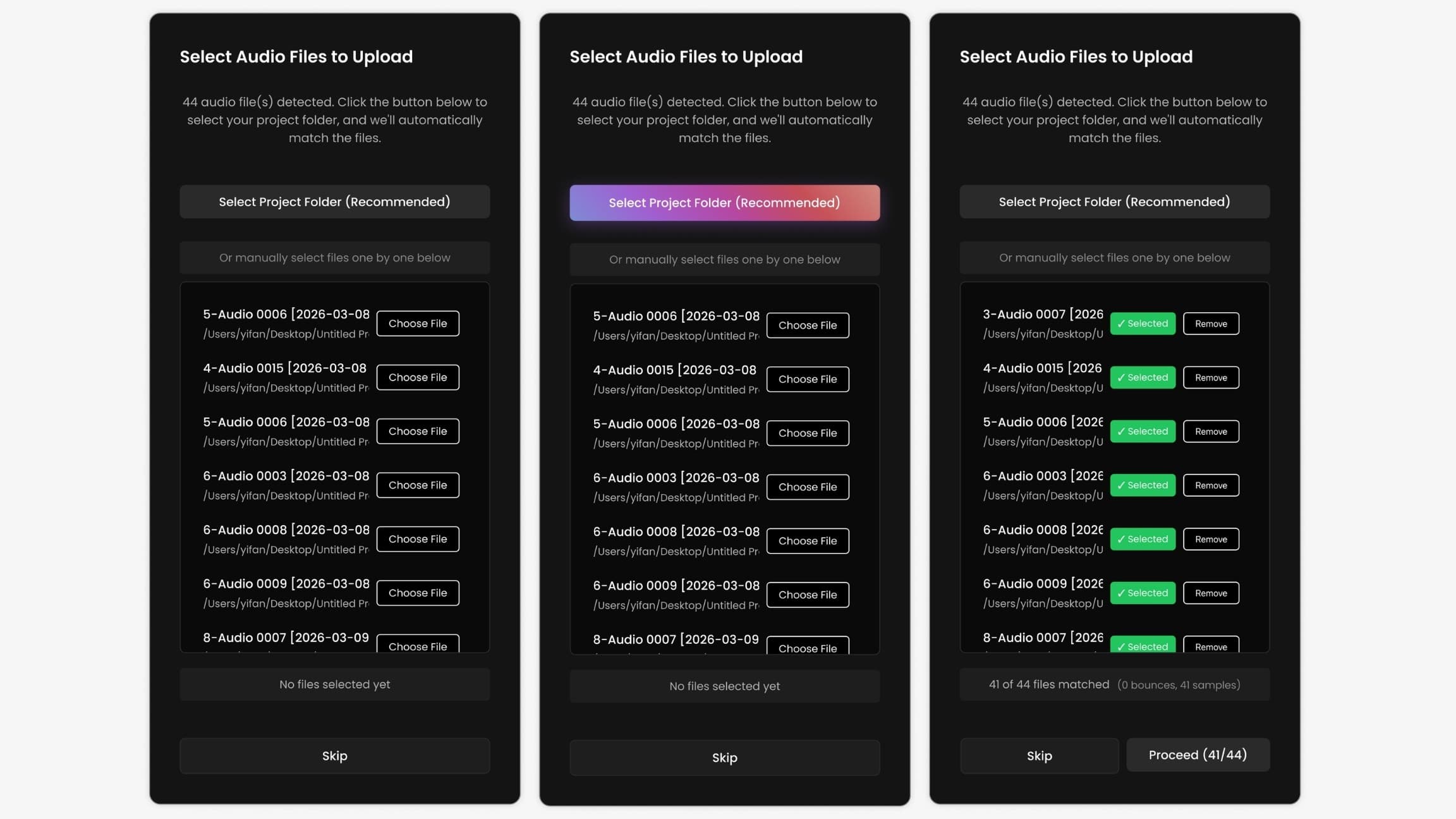
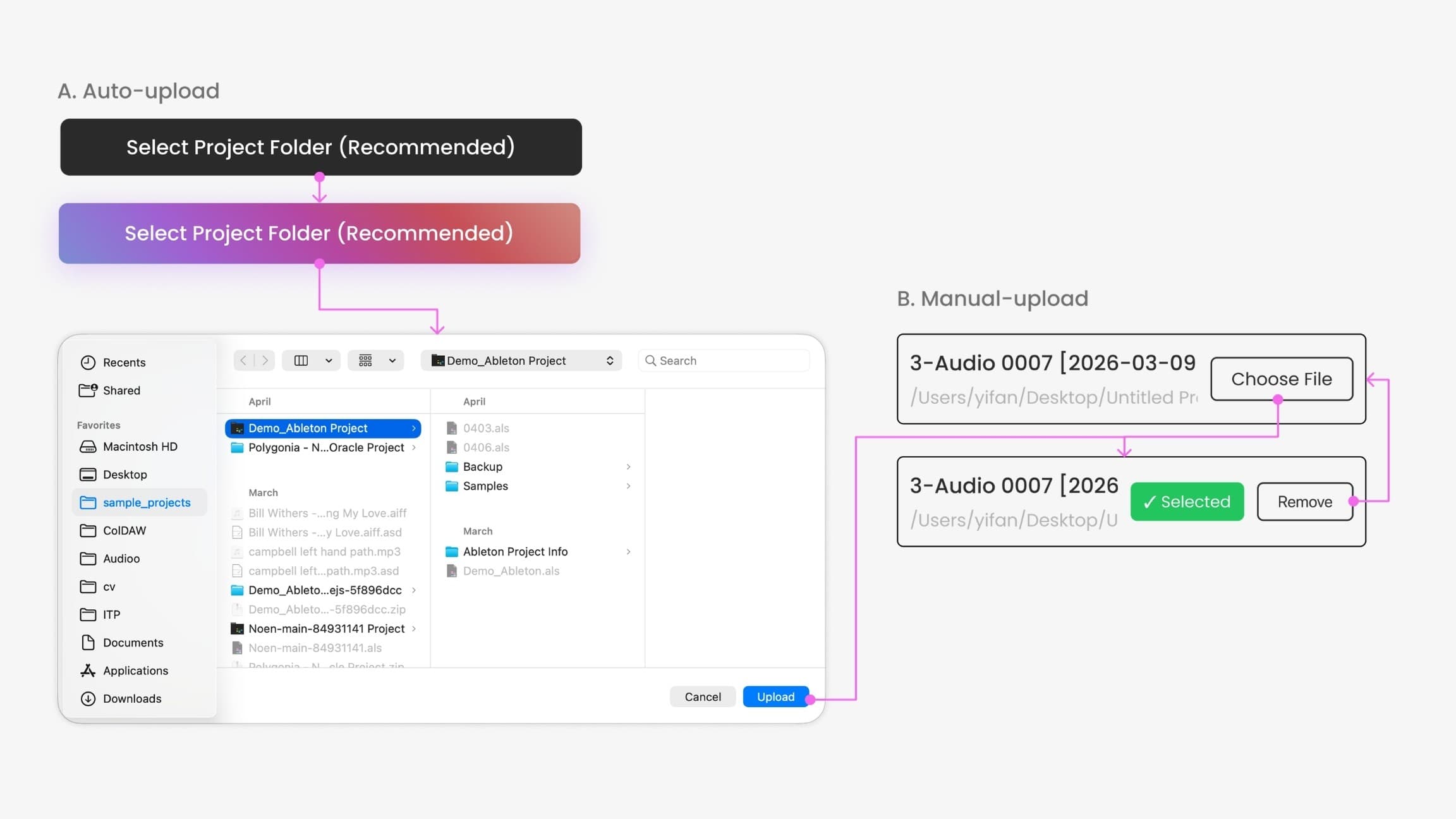
Users can import audio files in two ways:
- Automatic upload: scan a folder and upload only the audio assets linked to the project.
- Manual upload: add files that the automatic scan does not detect.
Editor layout
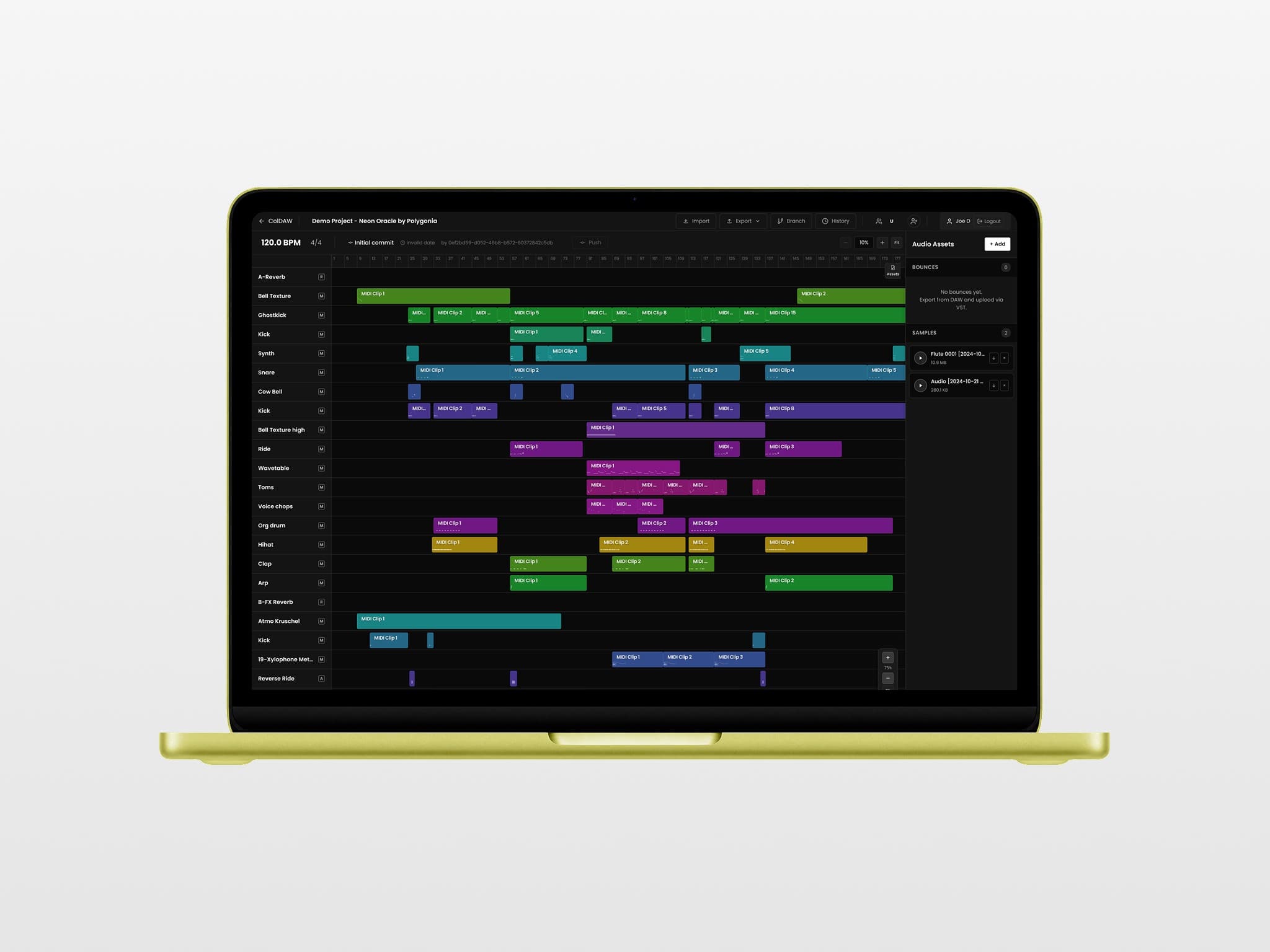
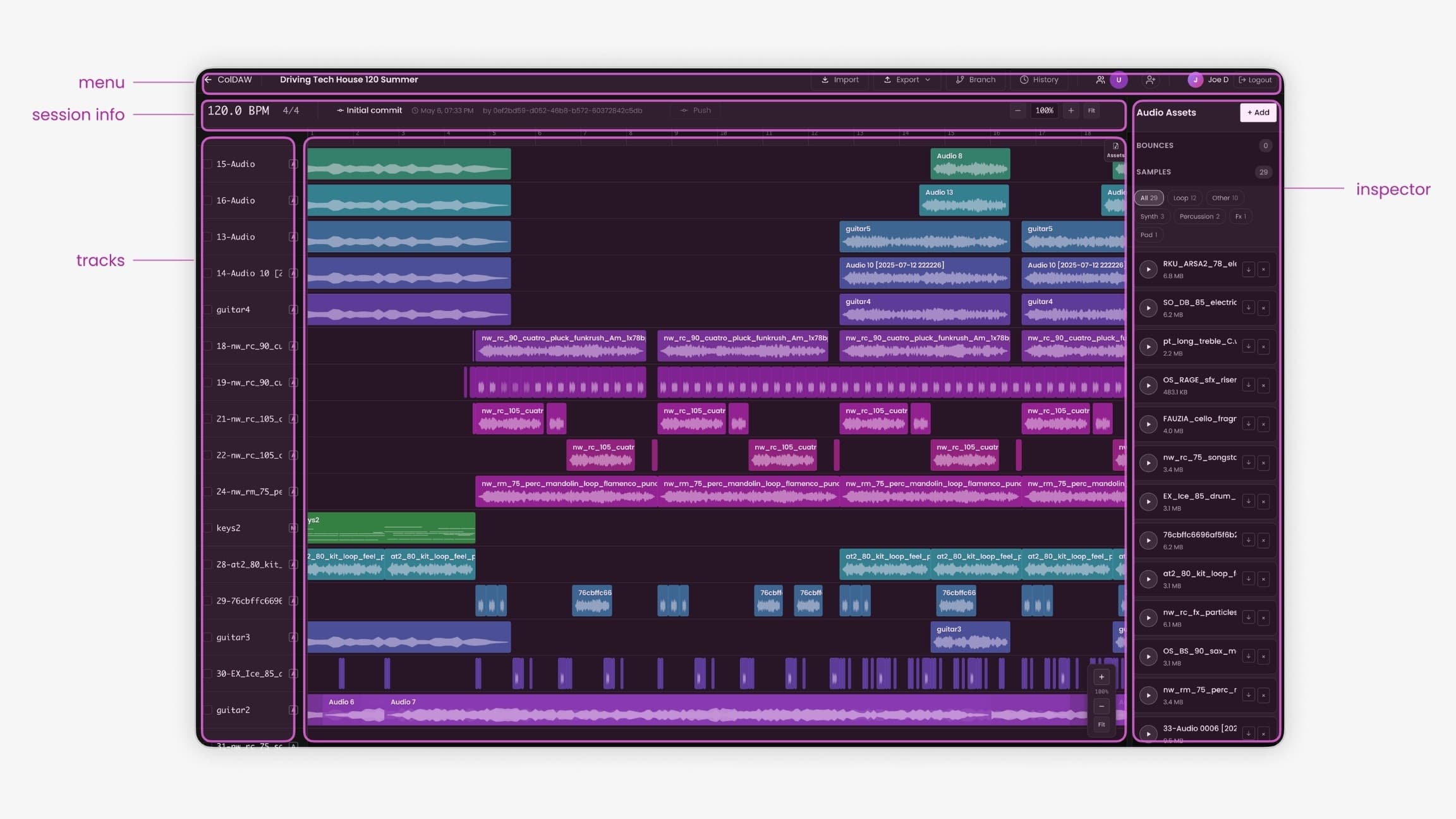
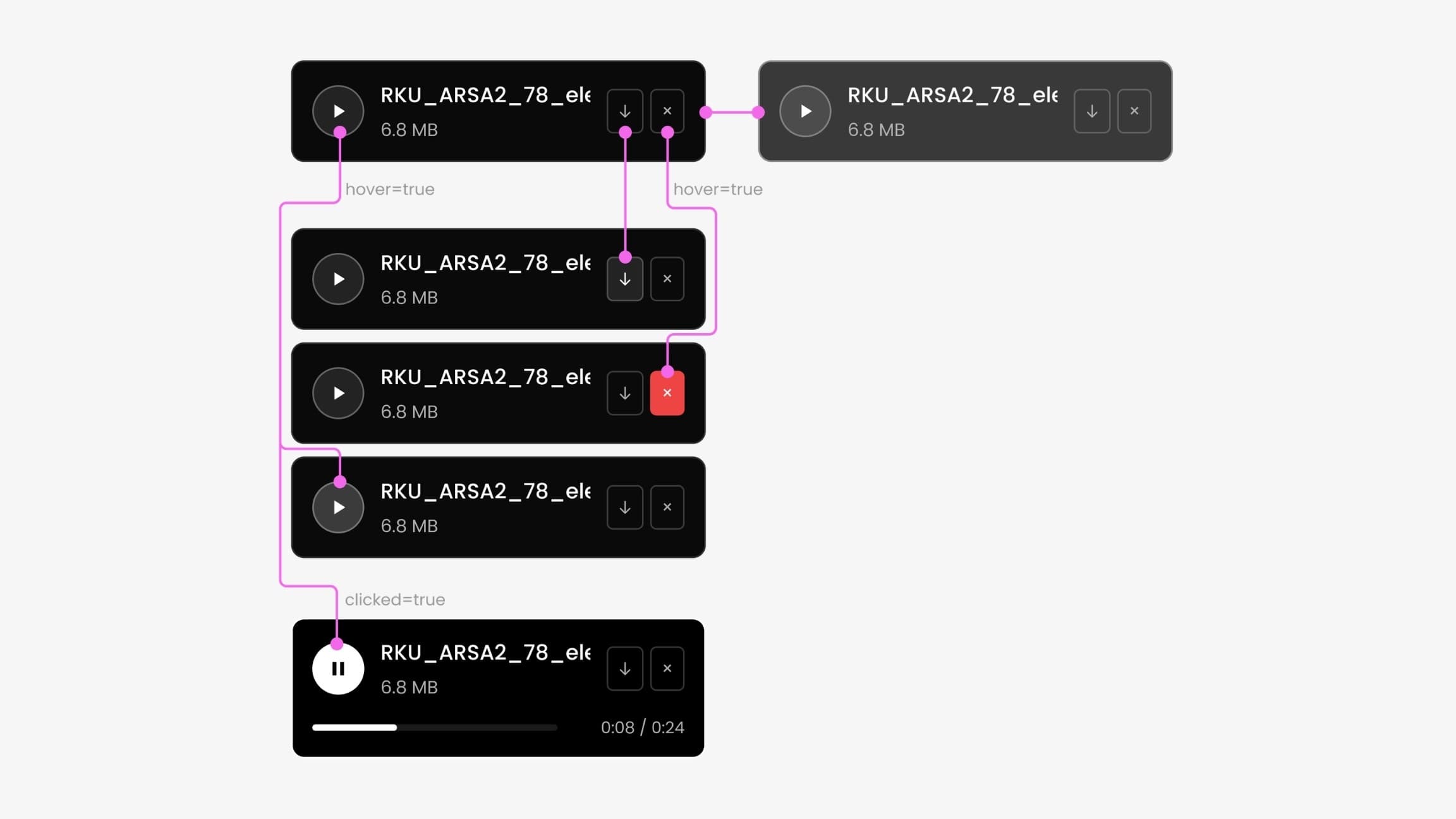
After setup, users can preview, filter, download, or remove assets. Selecting a track displays its details and linked assets in the right panel.
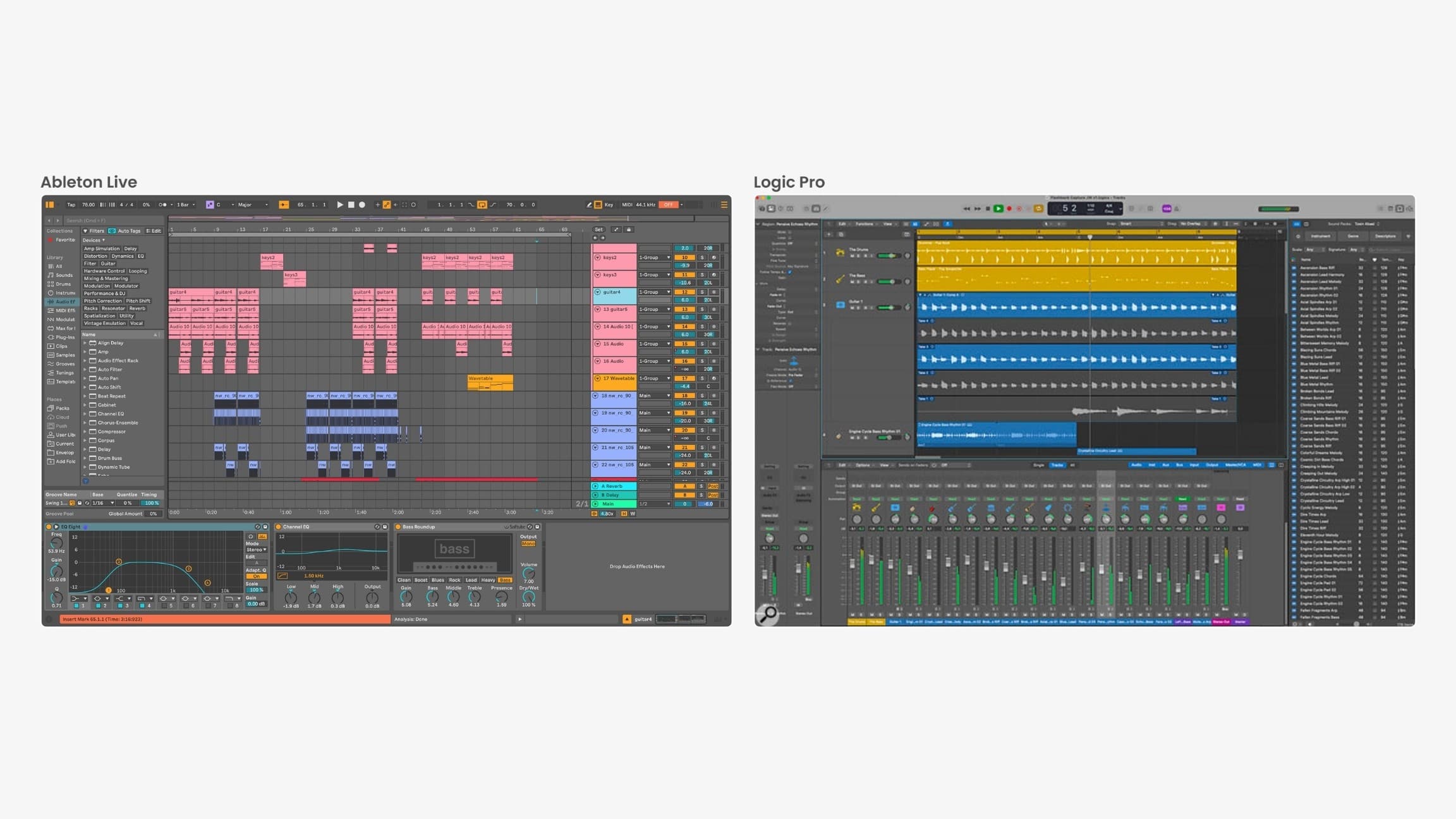
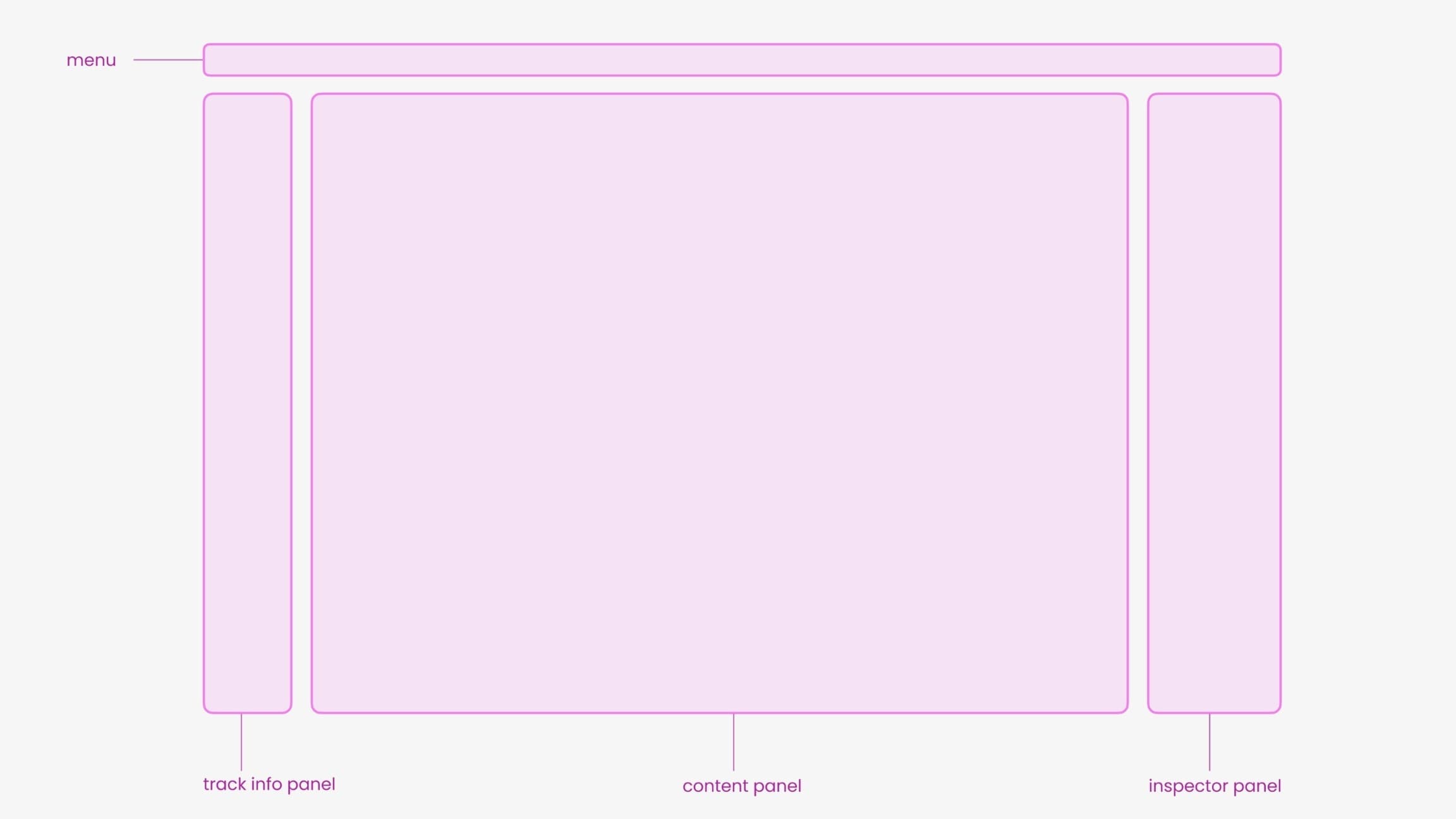
I reviewed DAW · Digital audio workstationA DAW, or digital audio workstation, is a studio on a screen: it records, arranges, edits, and mixes music. Tracks and clips are the building blocks. ColDAW borrows that familiar layout so producers can recognize their work while learning the collaboration features.Further readingAbleton — What is Live? and organized the editor around four familiar interface areas:
- Top menu for workspace actions
- Track panel on the left
- Inspector on the right
- Central content area
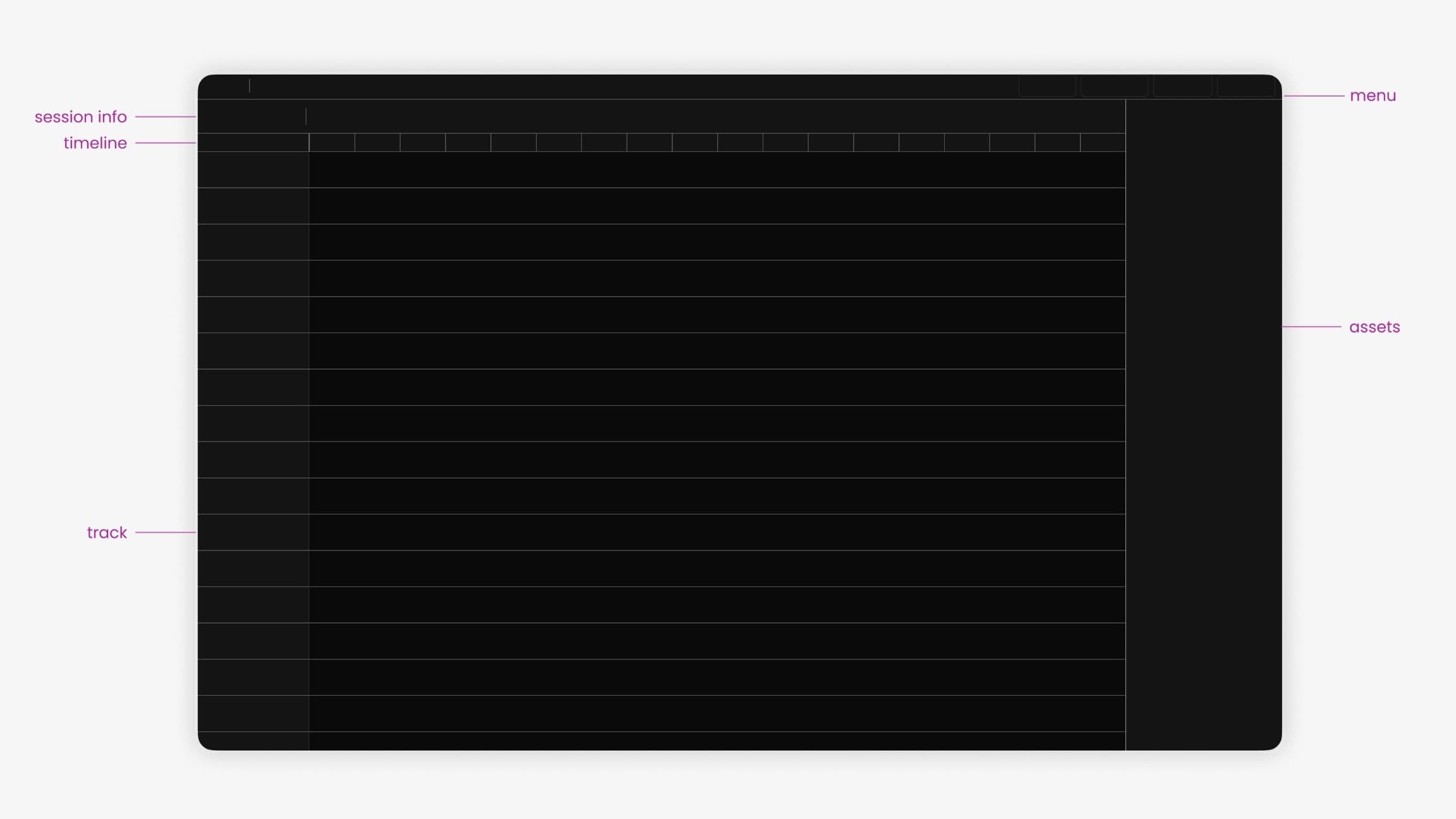
The initial layout referenced Logic ProLogic Pro is Apple’s music production software. Its tracks, clips, and visual organization are familiar to many producers. Referring to that language helps explain why a music tool might keep recognizable layouts instead of inventing a new one from scratch.Further readingApple: Logic Pro and Ableton LiveAbleton Live is software for making and performing music. A project contains separate tracks and editable clips, rather than one finished recording. It appears in this portfolio as both a production tool and a familiar workspace that can inform interaction design.Further readingAbleton Live. Color-coded tracks and clips help producers identify their arrangement in the collaboration interface.
The zoom control adjusts the level of detail:
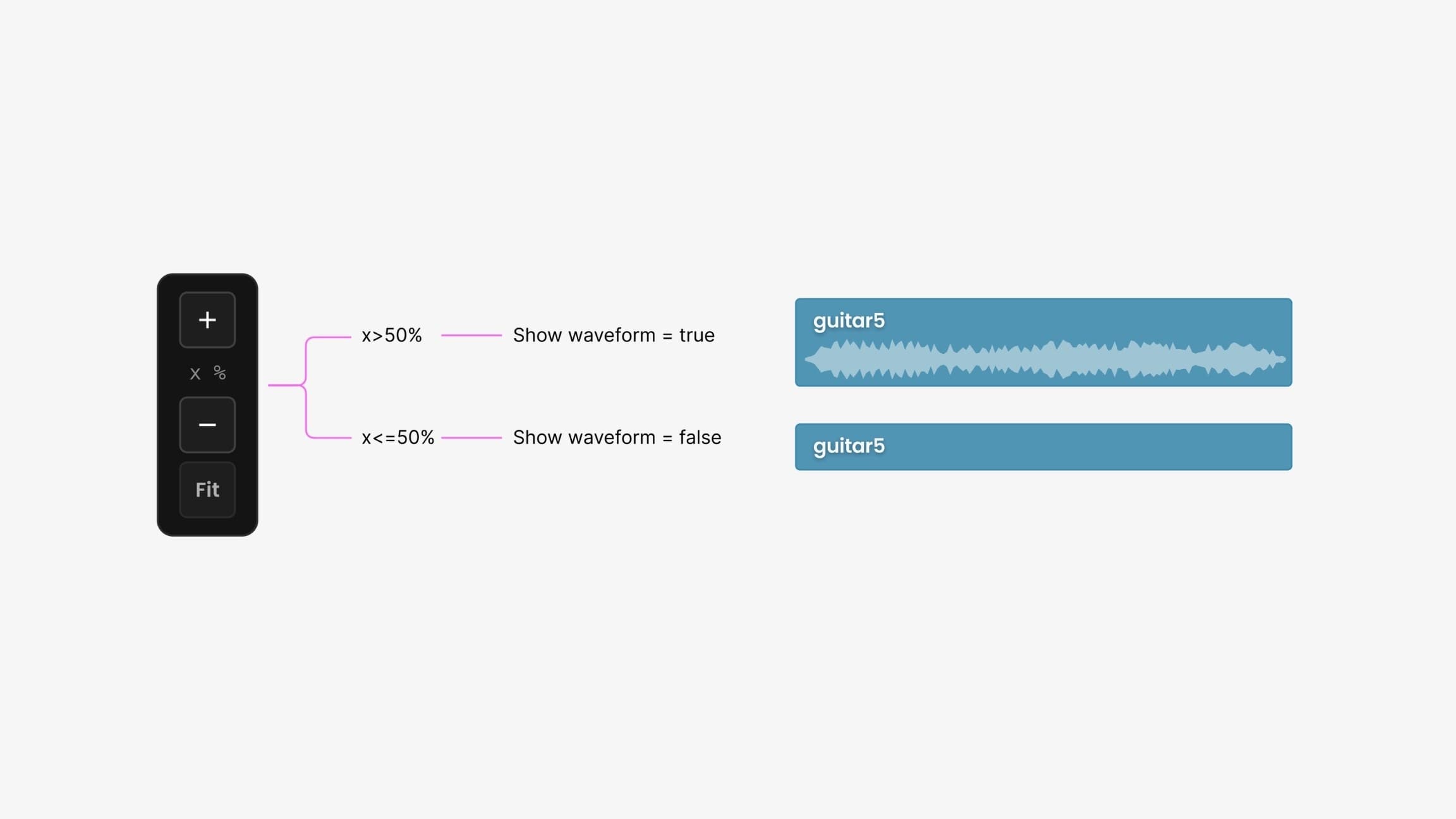
- Above 50% zoom, clips display waveforms.
- At 50% or below, waveforms are hidden.
The overview shows the arrangement. Zooming in reveals waveforms, keeping detailed audio information available without crowding the overview.
Generated tags support filtering, and the inspector shows the current selection. Export options include Tone.jsTone.js is a toolkit for making interactive music in a web browser. An export for it lets someone take project material beyond the editor and use it in a musical experiment or interactive piece.Further readingTone.js documentation for creative coding.
DAW plugin and version history
The DAW plugin transfers audio assets or whole projects between music software and the browser workspace.
ColDAW compares incoming edits with the previous version. Producers can retain alternatives, restore earlier versions, and leave change notes for collaborators.
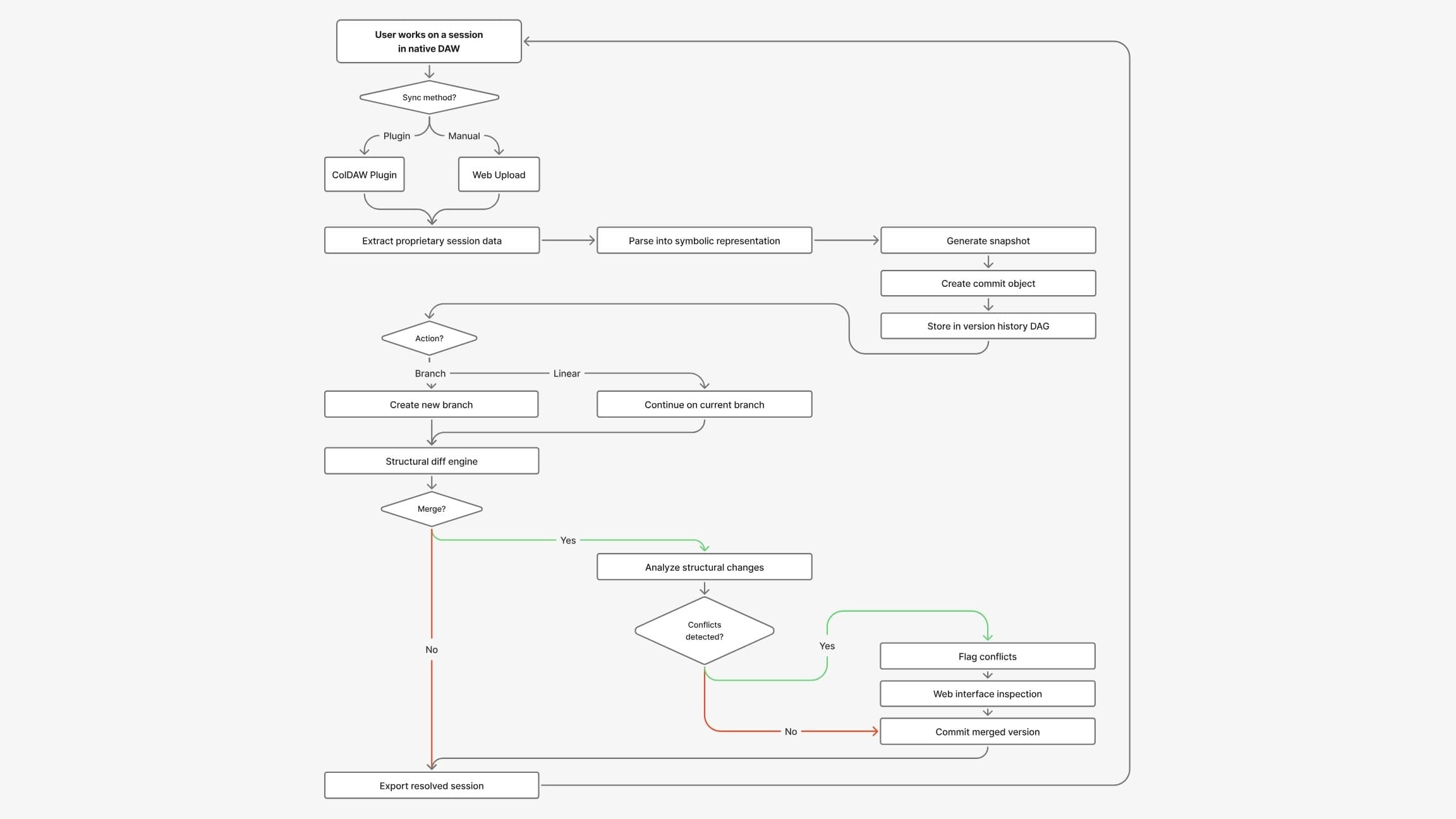
The browser and plugin share a project format. Saved snapshots support comparisons and keep the version history associated with the project.
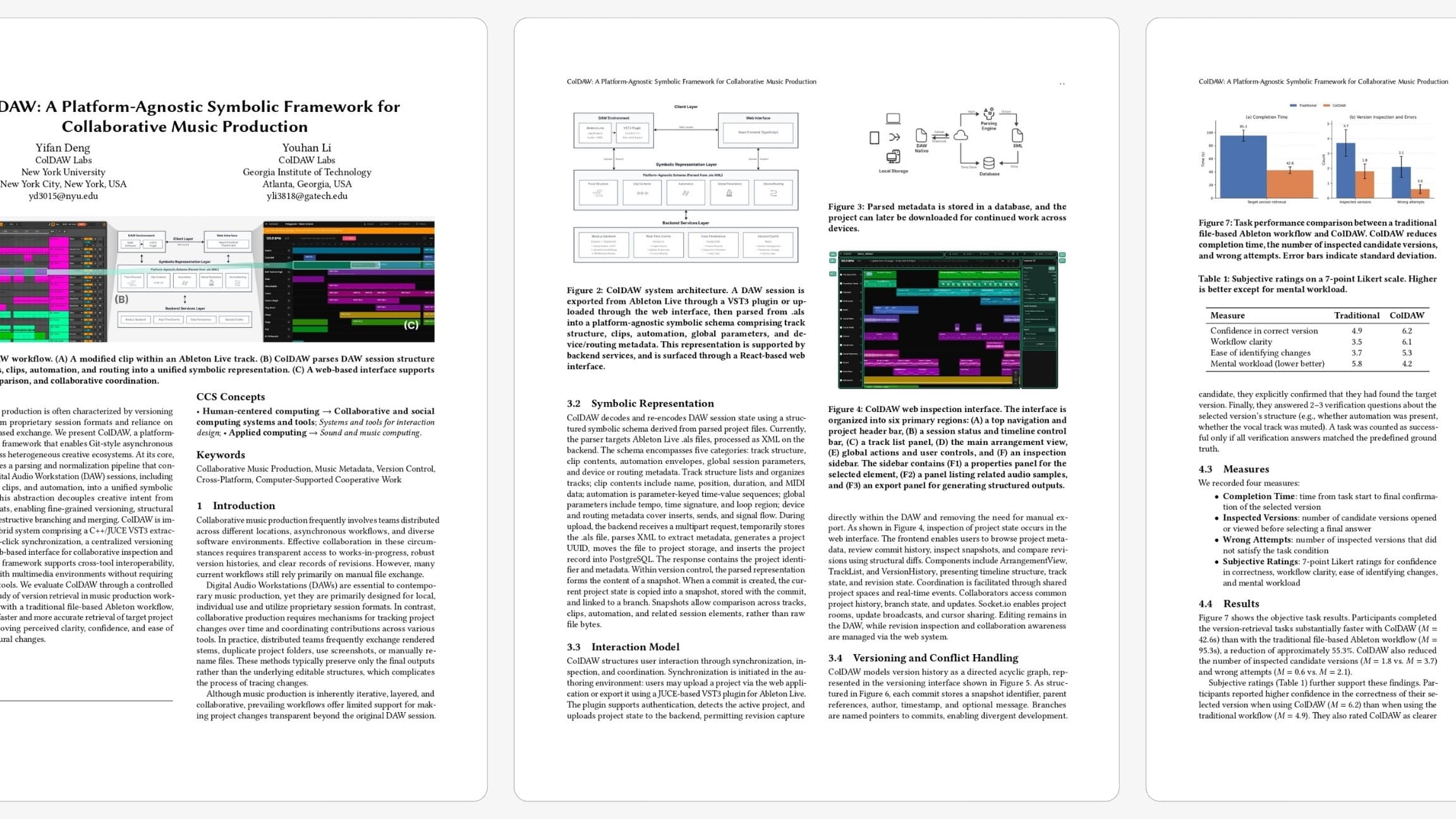
We submitted this work to ACM UIST.
AI features and data access
The team discussed which AI features would be useful and what access they would require to unfinished music.
I focused AI assistance on naming and organizing projects, with limits on access to the audio itself.
Model responsibilities
The system uses a hosted language model and a local audio model:
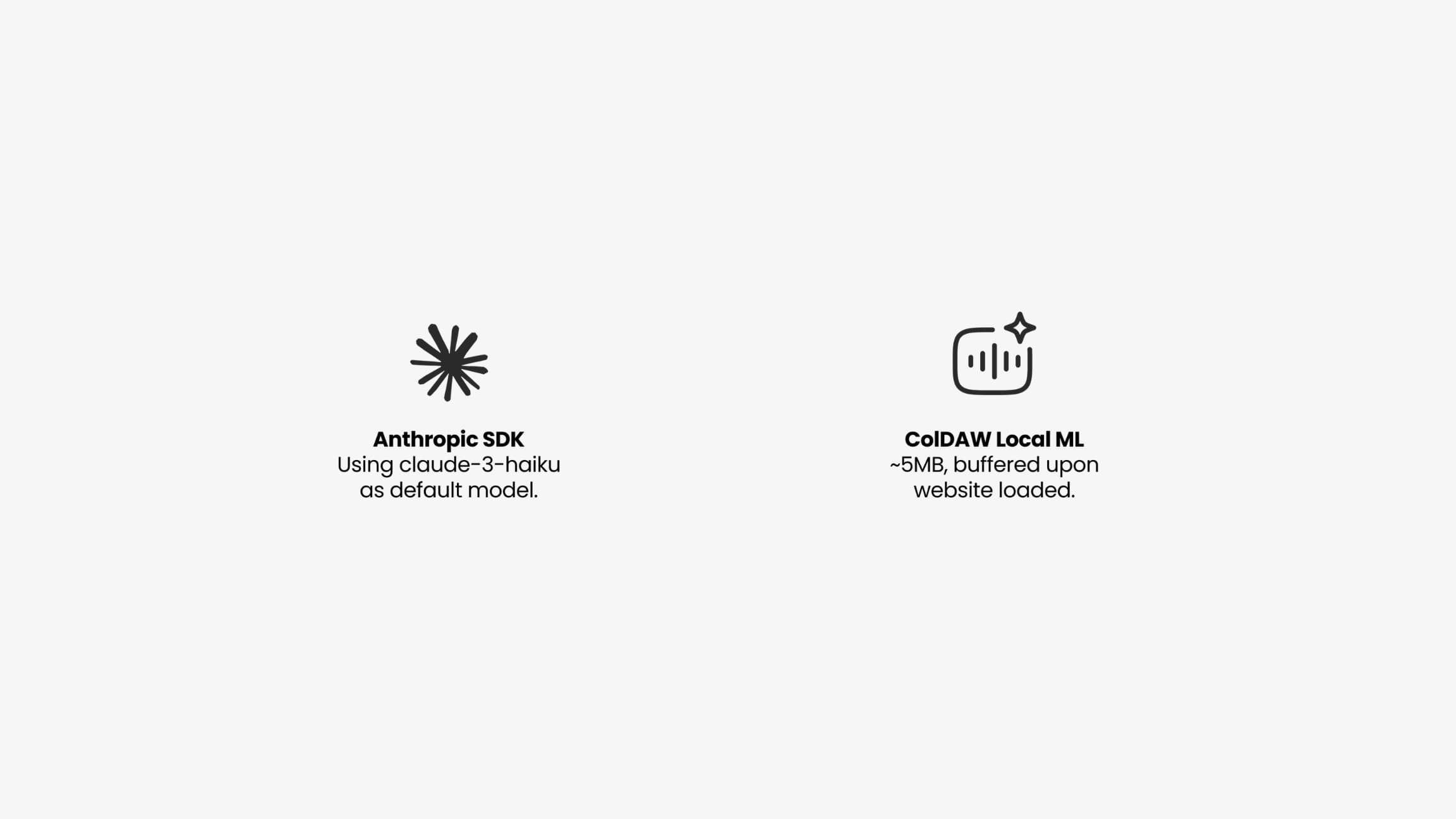
- A hosted language model helps with text-based tasks such as naming.
- A small local audio model, developed with my teammate Youhan, analyzes the sound without sending the samples to a third party.
The hosted model processes text for organization tasks. Audio analysis runs locally.
Project naming
The naming model receives a text description containing:
- How the tracks are arranged
- Project settings, such as tempo
- The names of audio files
- Changes to controls over time
- The effects and connections used in the project
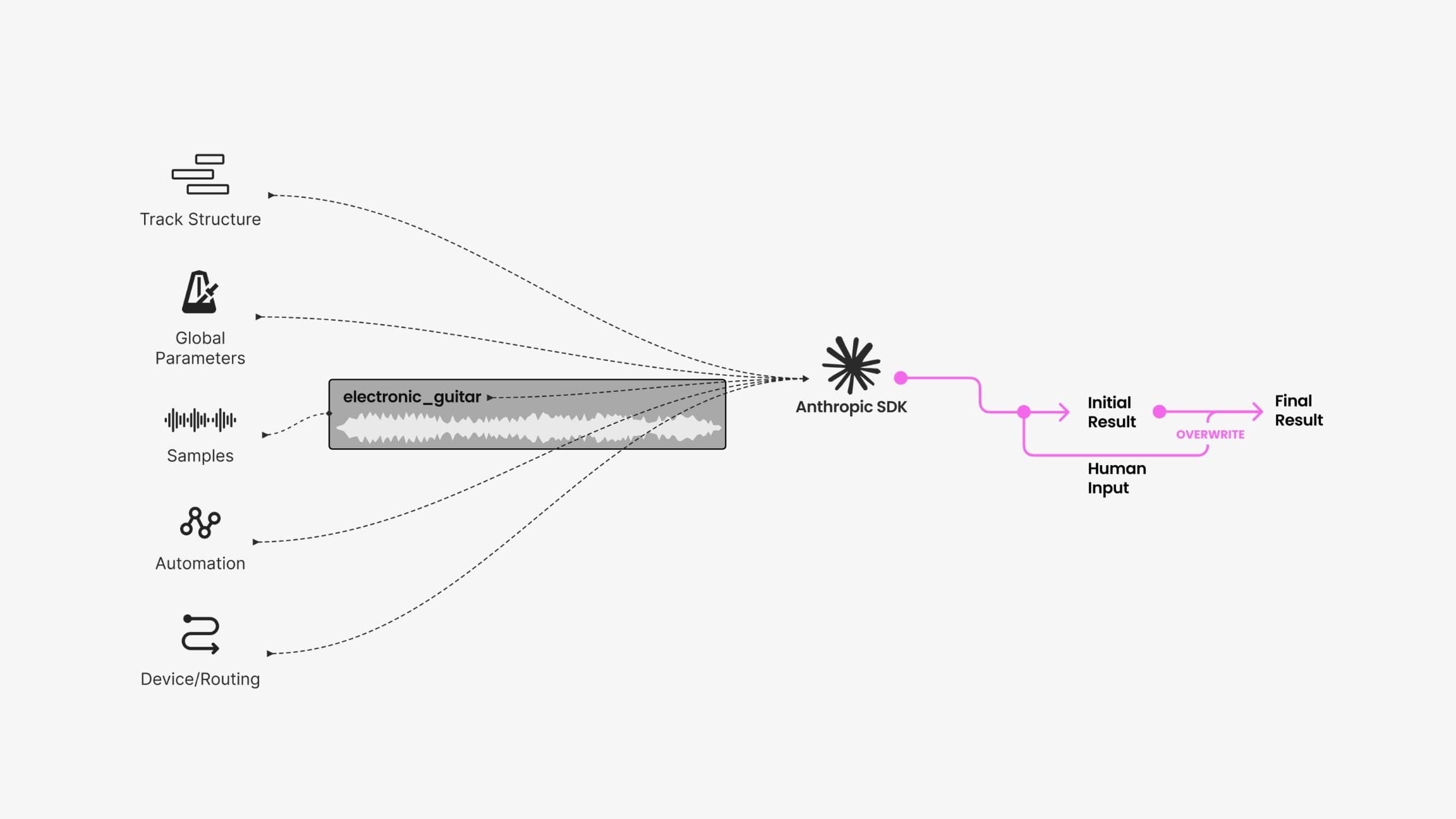
The generated name is a suggestion. Manual edits take precedence.
Audio tagging
The hosted model processes text, while the local model analyzes audio. Audio samples are not sent to third-party model services.
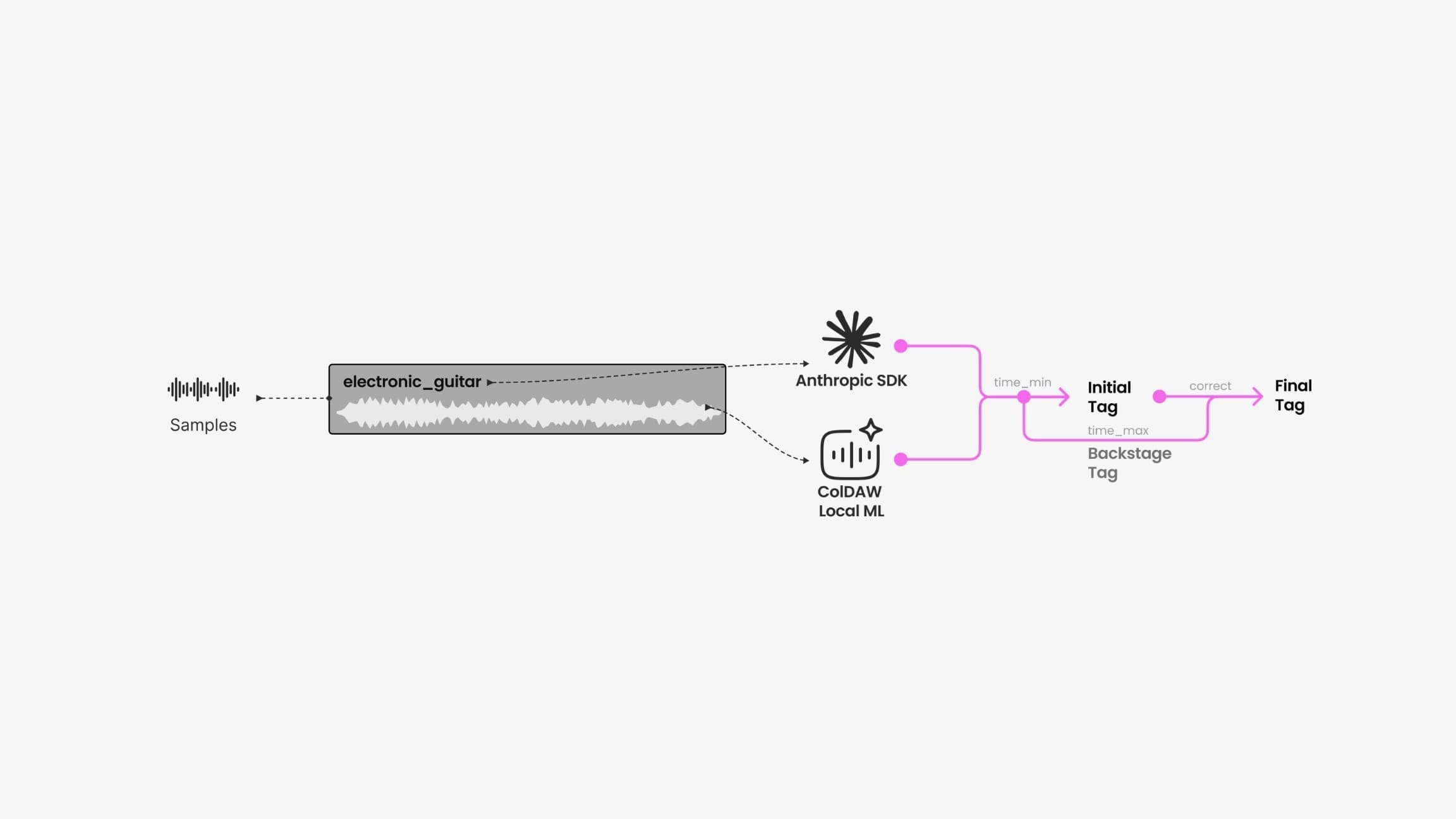
Initial labels appear before the full analysis finishes. A second pass refines them, reducing the wait for larger projects.
Project summaries — in development
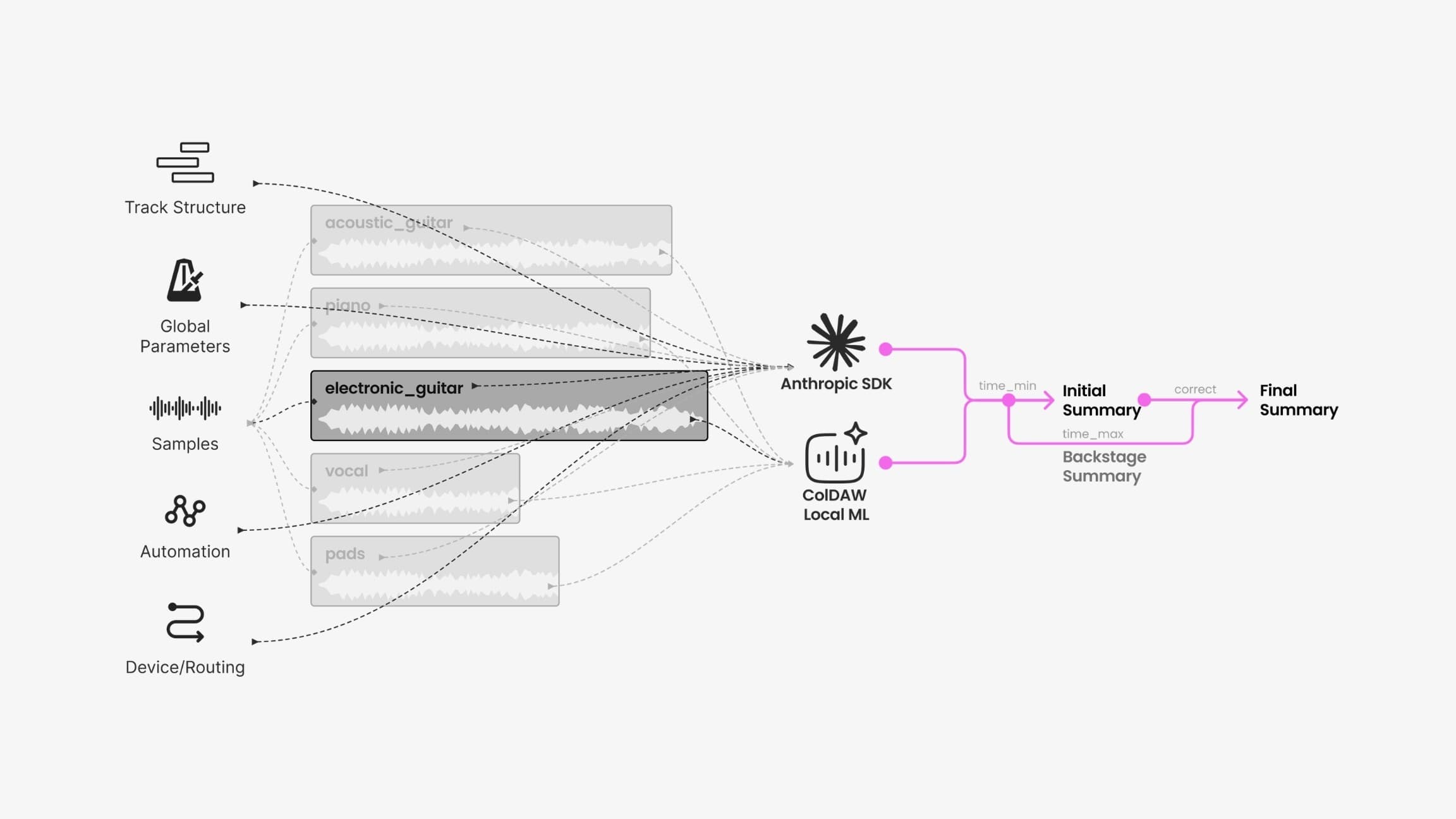
Project summaries are in development. The planned feature combines text analysis with local audio analysis to summarize changes across versions.
Team coordination

I work with a team of eight and maintain shared documentation for planning, the design system, development, and onboarding.
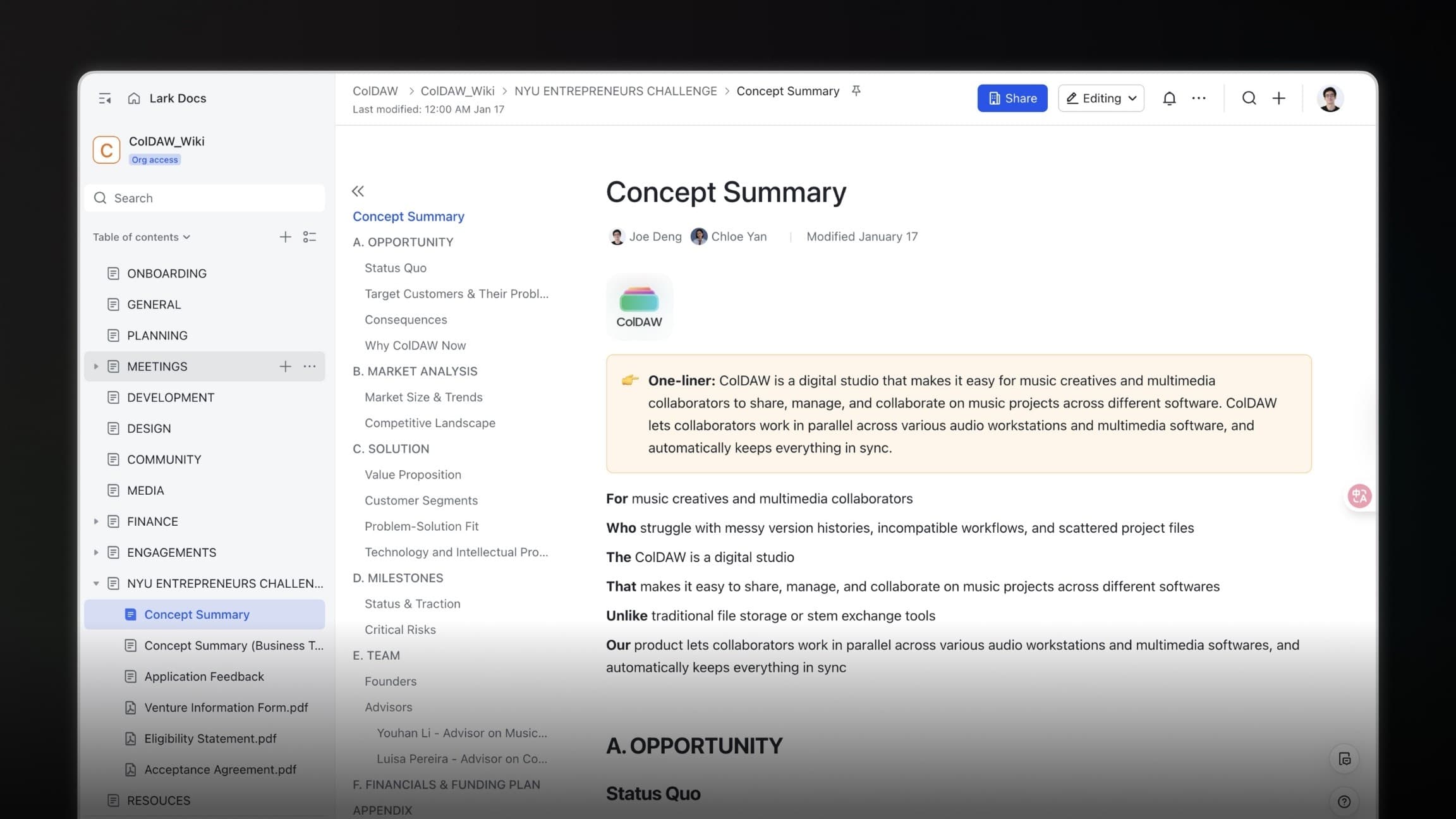
My responsibilities also include community development and partnership discussions.