Project objective
Earbud fit varies with ear shape and wearing preferences. I designed a tool to help users compare JBL models before purchase.
Use contexts
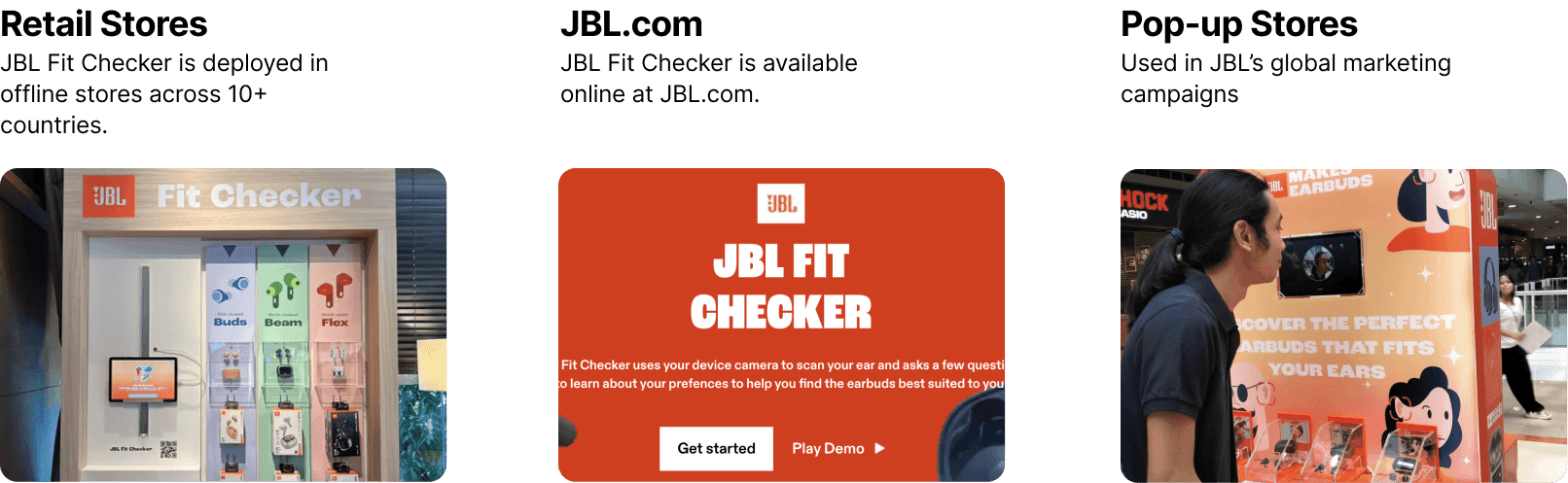
The tool needed to support retail stores, personal devices, and temporary installations, with or without staff assistance.
Scan and preference questionnaire
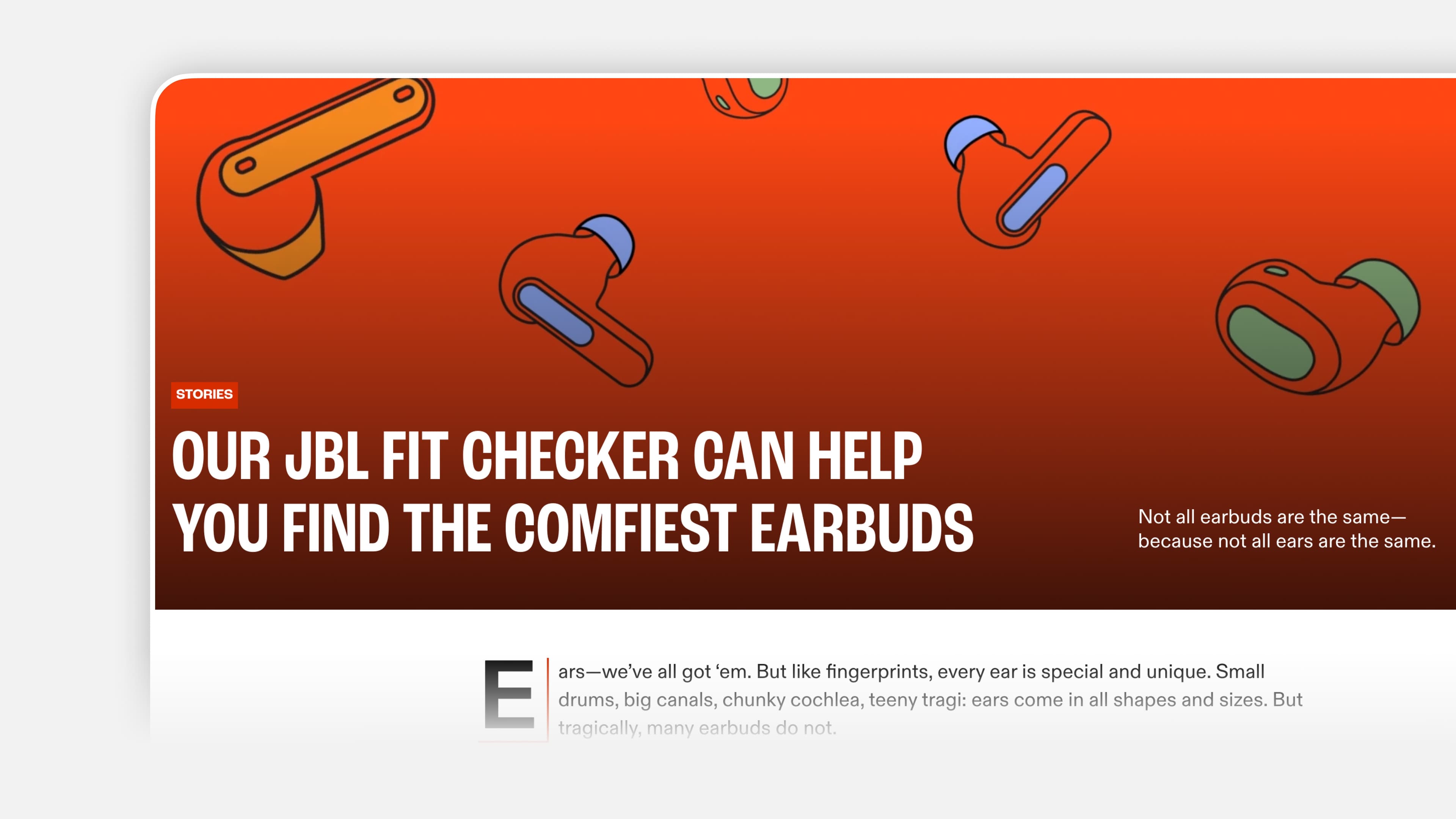
We combined an ear Ear-fit scanningThe scan looks at the shape of the ears to help compare earbud designs. It cannot tell us everything about comfort or personal preference. Pairing it with listening questions gives the recommendation a more human context.Further readingJBL — How Fit Checker works with a listening-preference questionnaire. The scan informs physical fit; the questionnaire covers preferences such as isolation and awareness of surrounding sound. Both inform recommendations among Beam, Buds, and FlexThese are JBL earbud shapes: Beam has an in-ear stem, Buds has a compact bud shape, and Flex has an open stem design. They differ in how they sit in the ear, so the recommendation needs to explain the wearing experience as well as show a score.Further readingJBL: choosing an earbud shape.
User flow
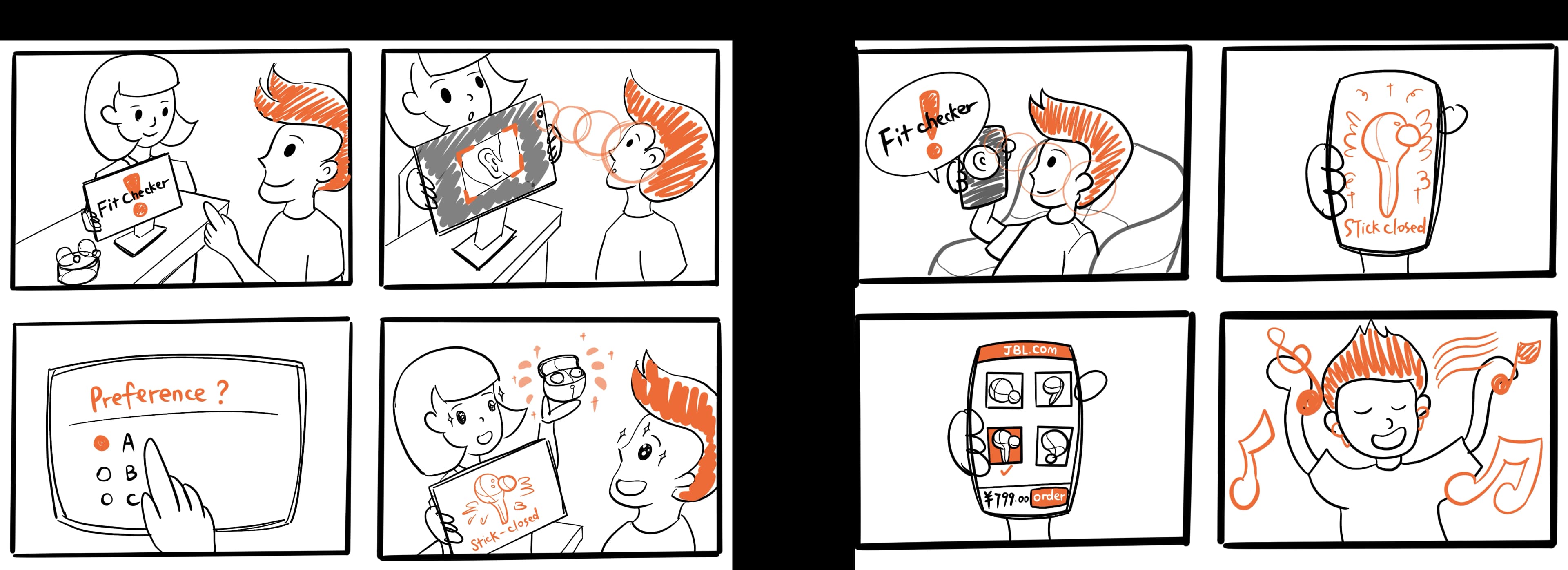
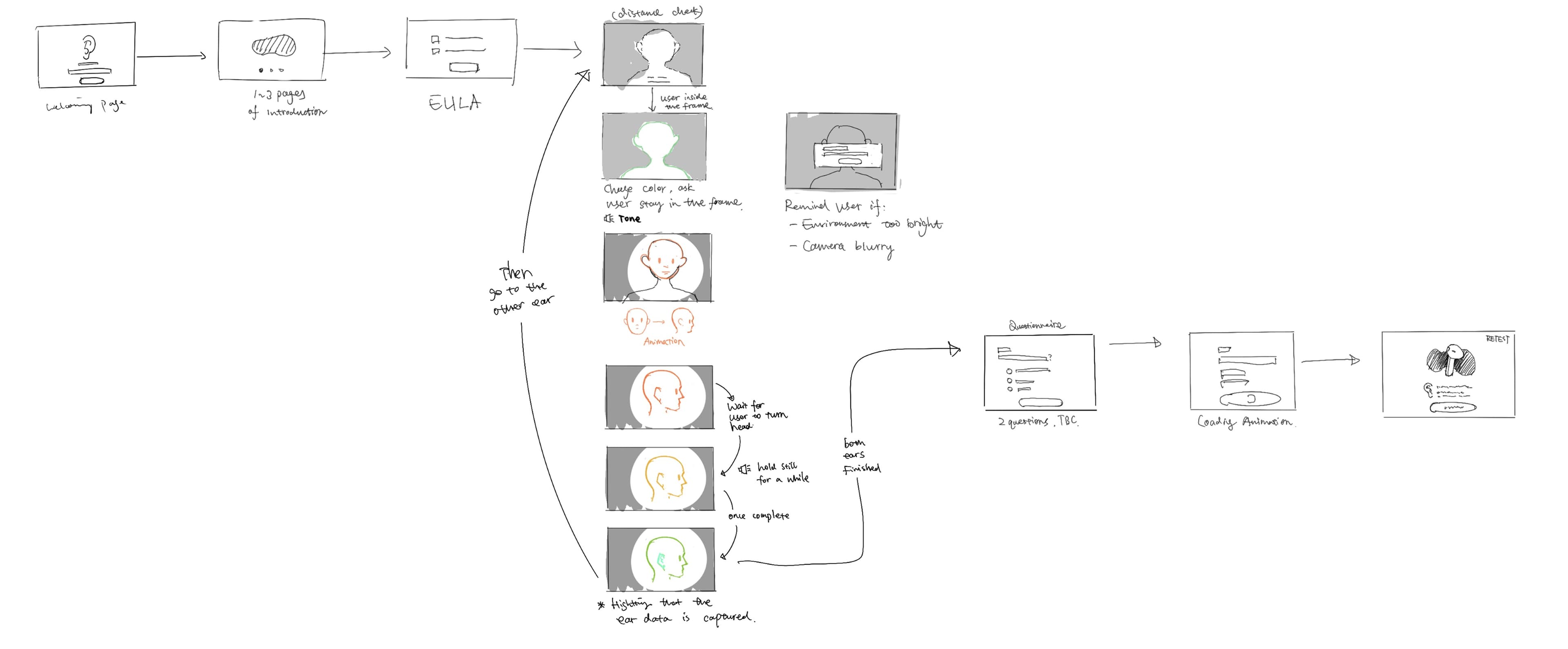
We storyboarded three stages: scanning both ears, answering the questionnaire, and comparing recommendations. Separating the stages keeps each screen focused on one task.
Reference review
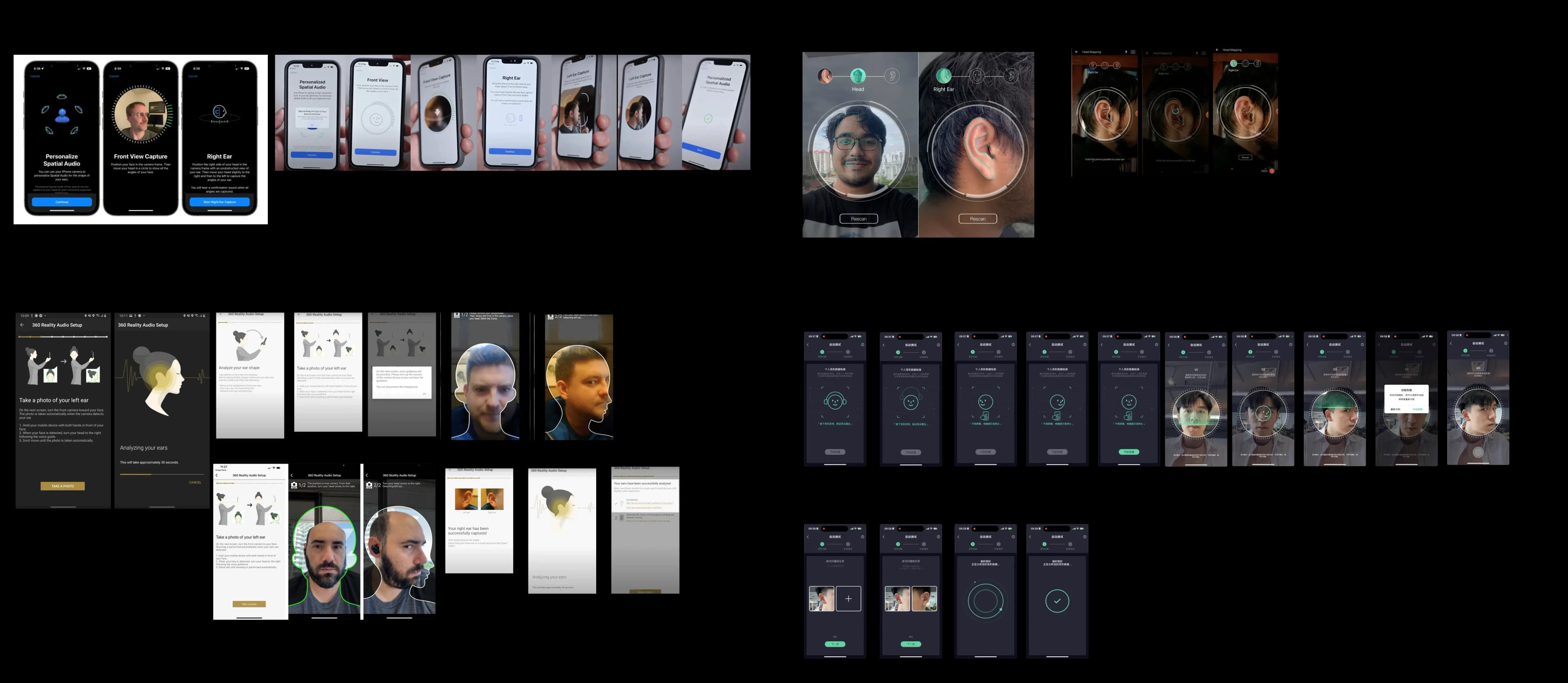
I reviewed scanning and audio-personalization flows from Apple, Sony, Creative, and QQ Music, focusing on instructions, motion cues, and audio feedback.
Introduction and permissions
The introduction explains the scan procedure and required head movements before camera access.
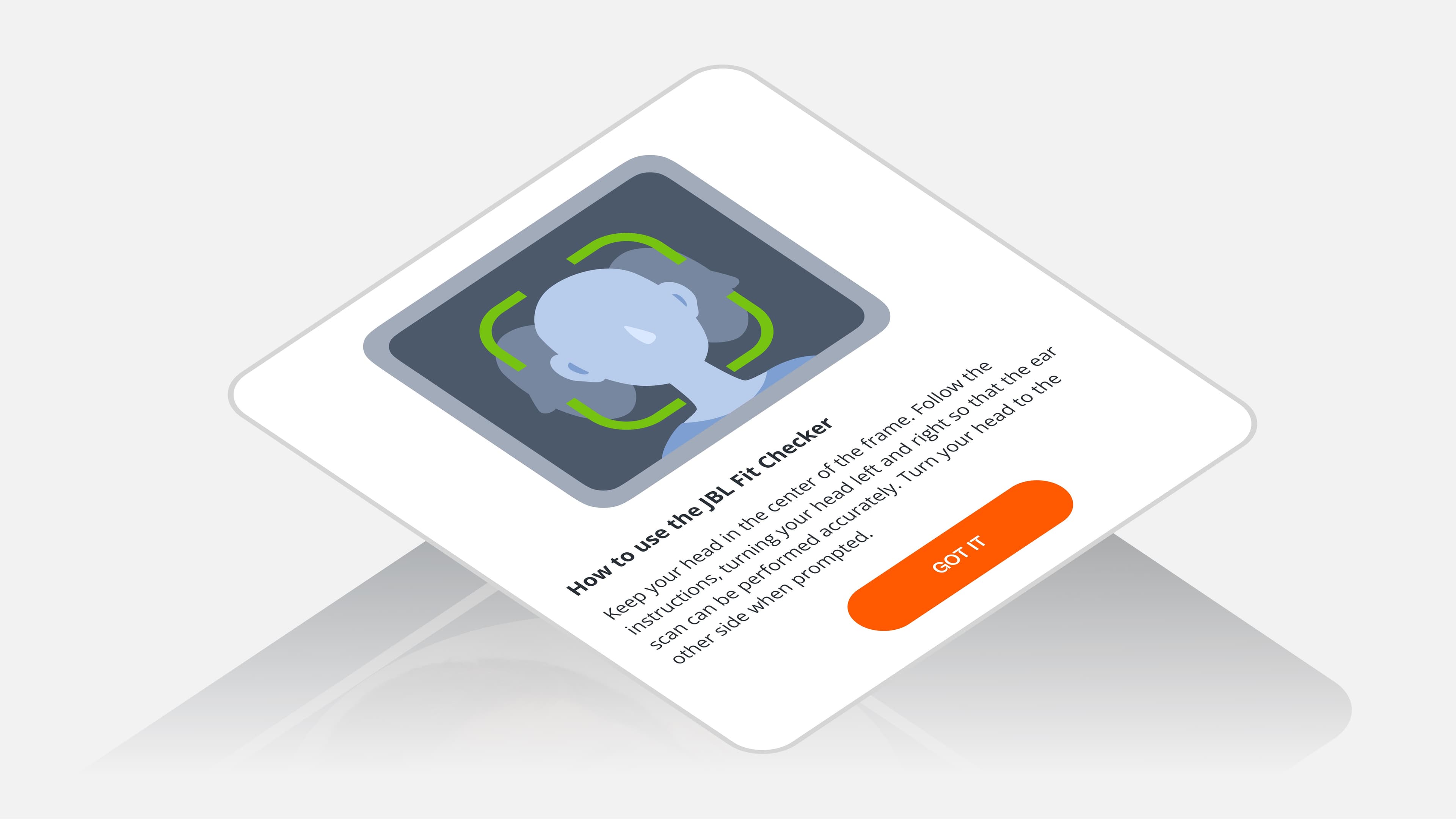
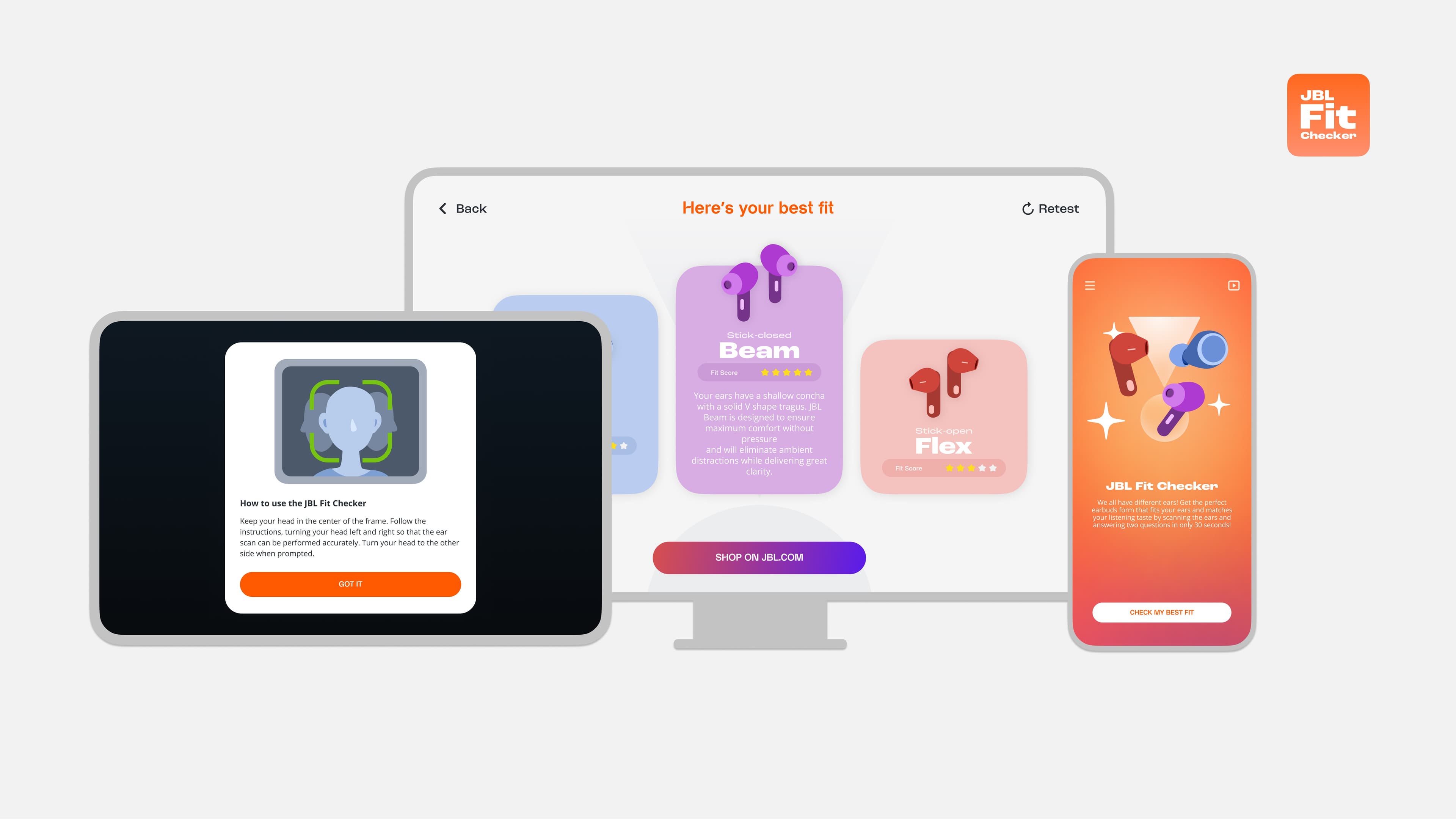
Camera permissions and the data-use agreement appear before scanning, so users can review the purpose of camera access and decide whether to continue.
Scan guidance
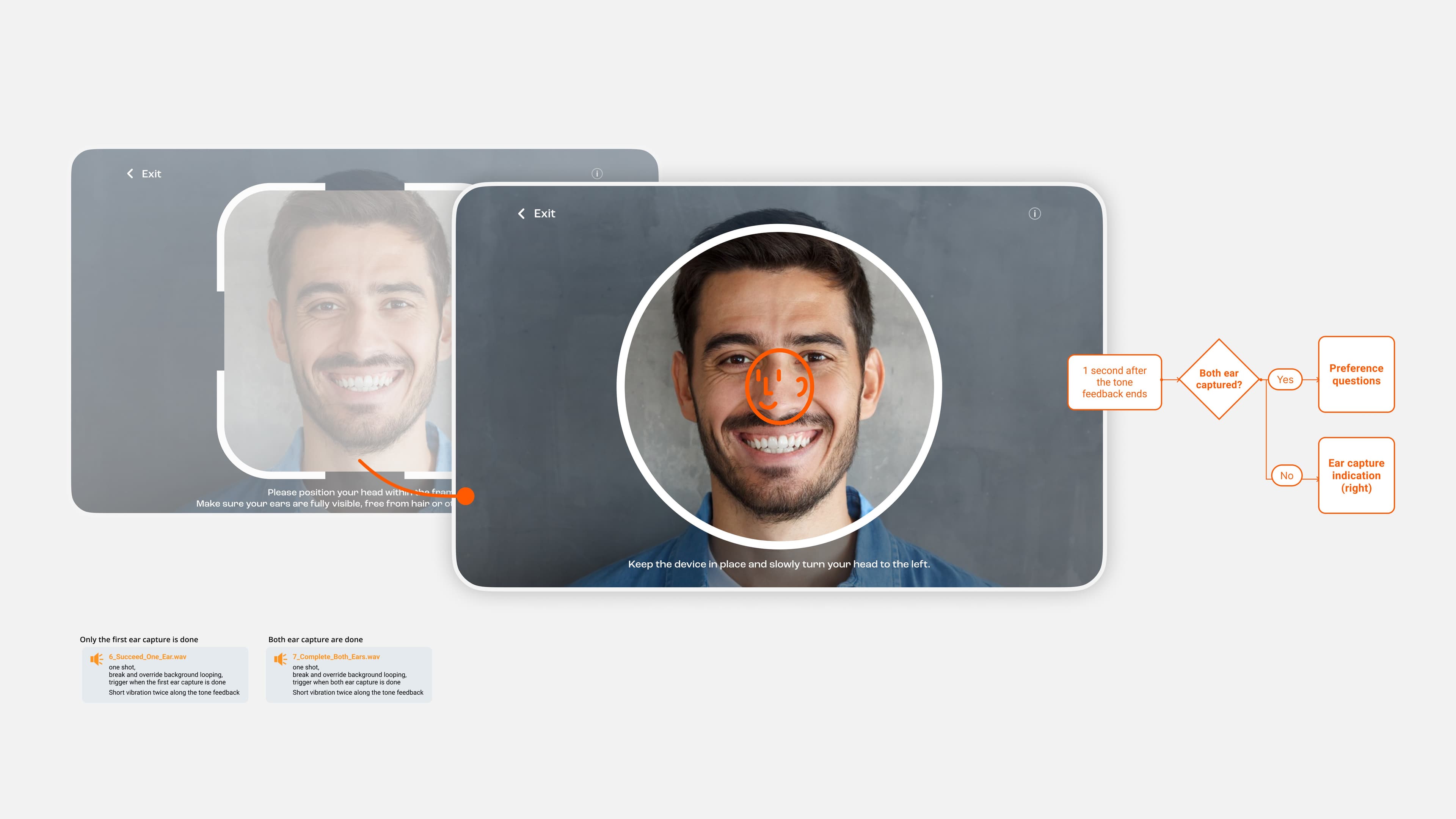
Animated indicators guide head positioning and display scan progress, reducing the need to read instructions during movement.

I used separate motion cues for the required movement and scan status so users could distinguish instructions from feedback.
Recommendation display
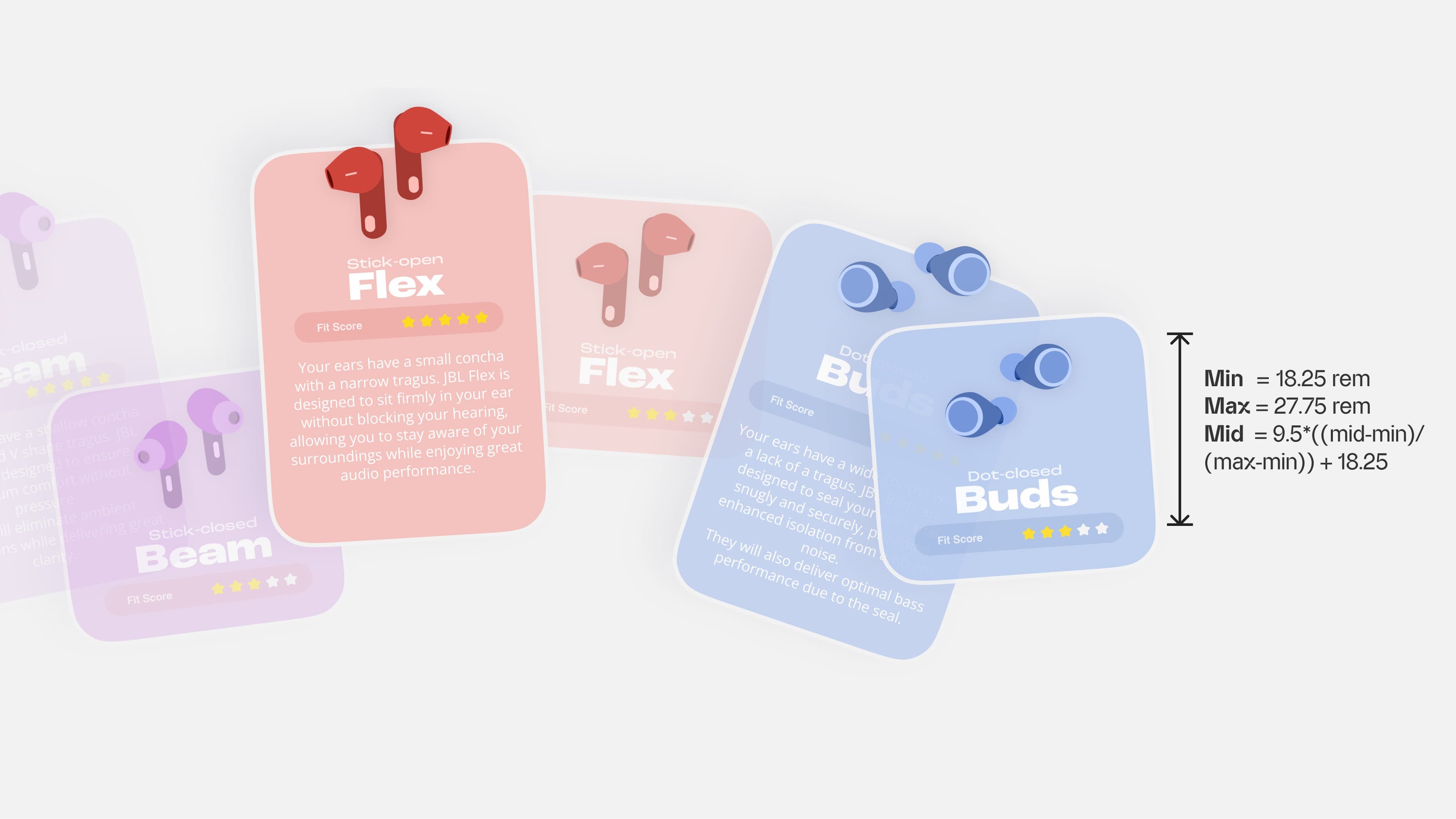
I converted the model output into star-based fit scores and placed product information alongside each score.
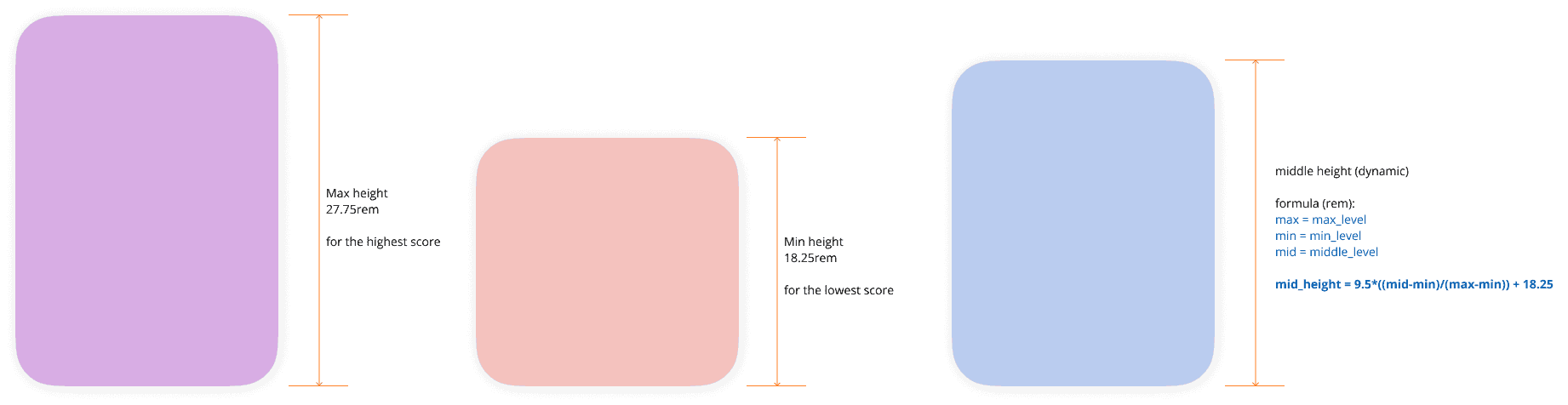
Card height varies with the fit score to make relative recommendations visible before users compare the numbers.
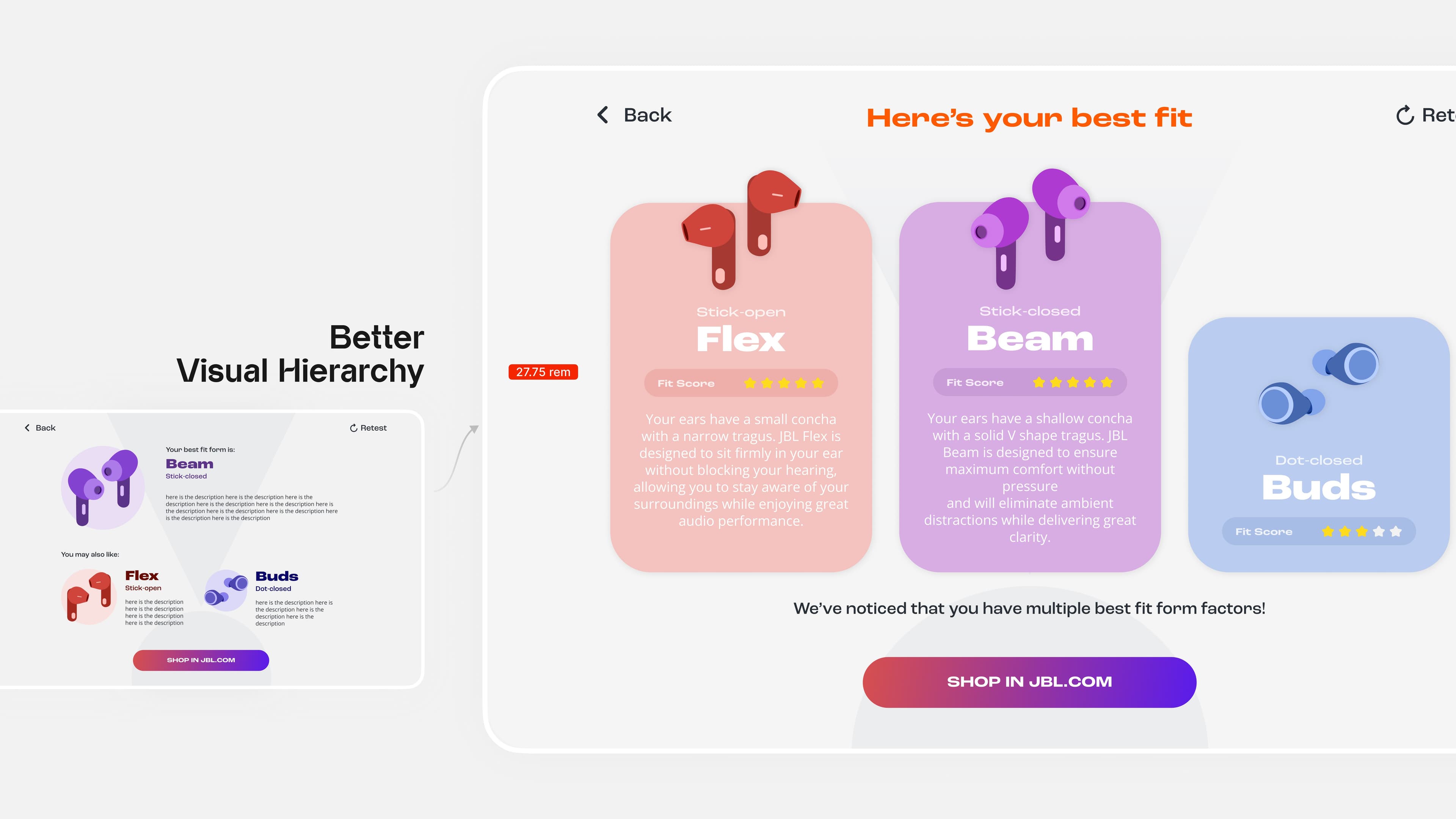
The same sizing rule applies after a repeat scan, keeping the display consistent when scores change.
Ranking and close scores
The highest-scoring model appears in the center. Close scores use a stable card order to avoid unnecessary layout changes or overstating small differences.